Home
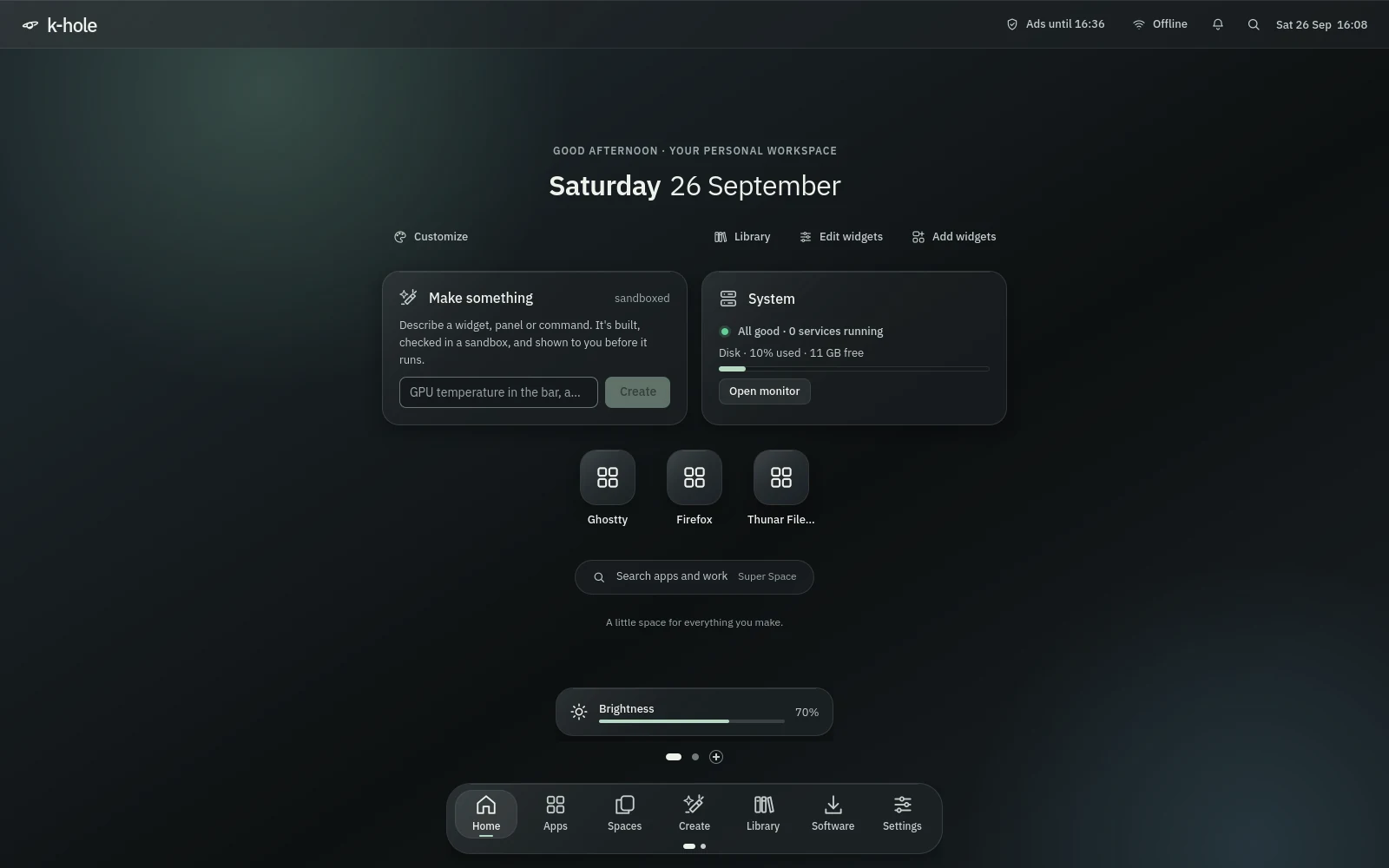
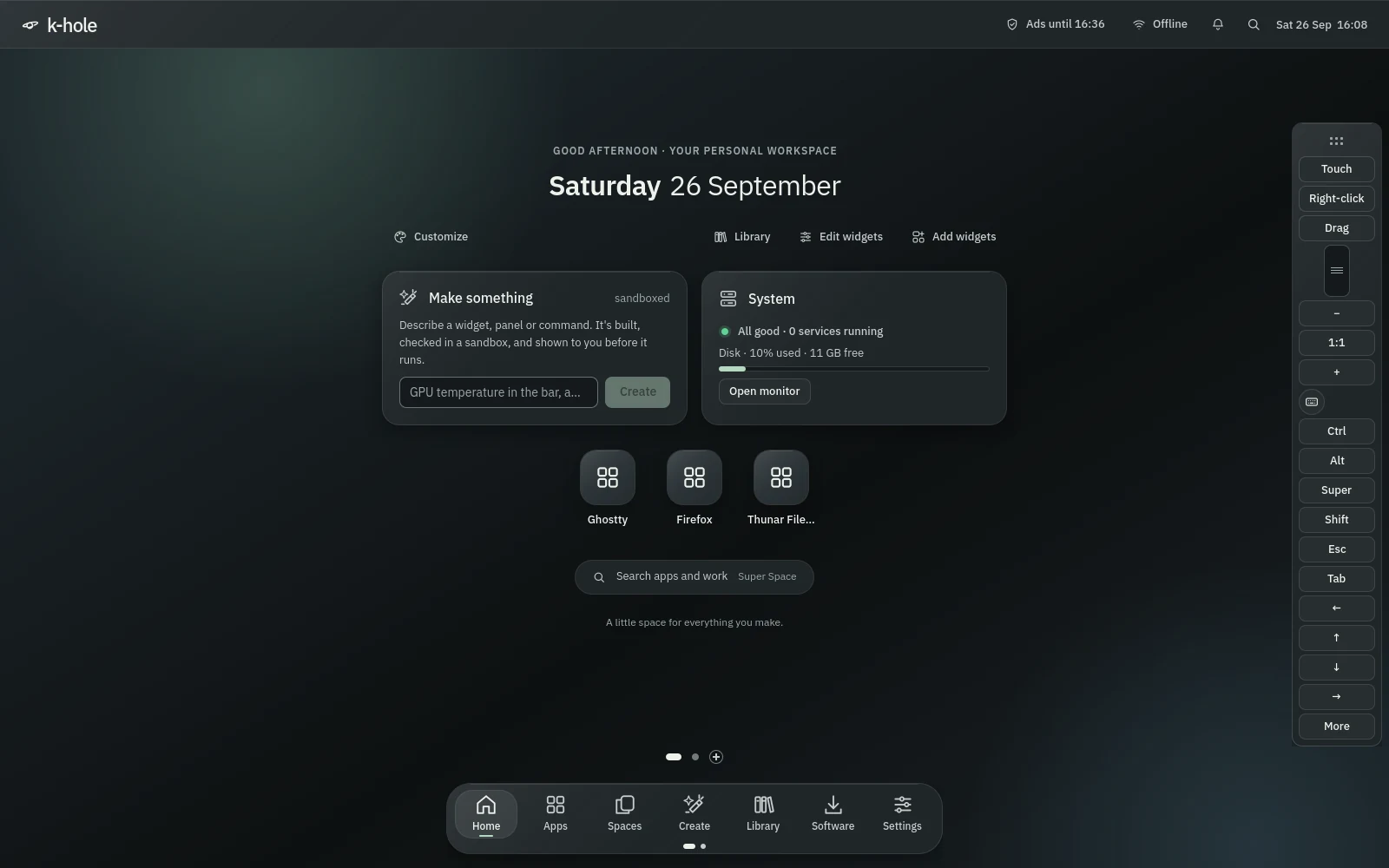
The desktop itself, on any empty Space: the date, Customize, Make something, one line of system health (a failed service opens its log), pinned apps and a search pill.
Features
One desktop, a set of tools and a lot of careful defaults, grouped by what you'd be doing when you need them. Screenshots are the real shell from its smoke test, framed on the part that matters; select one to see the whole screen. Where no screenshot exists yet, the text says what the code does.
Hyprland · Quickshell · Quiet Glass UI
Frosted chrome over a slowly drifting light, opaque graphite where the work happens, IBM Plex type and one sage accent. The whole shell is Quickshell on Hyprland: bar, dock, Home, search, Spaces and every dialog.
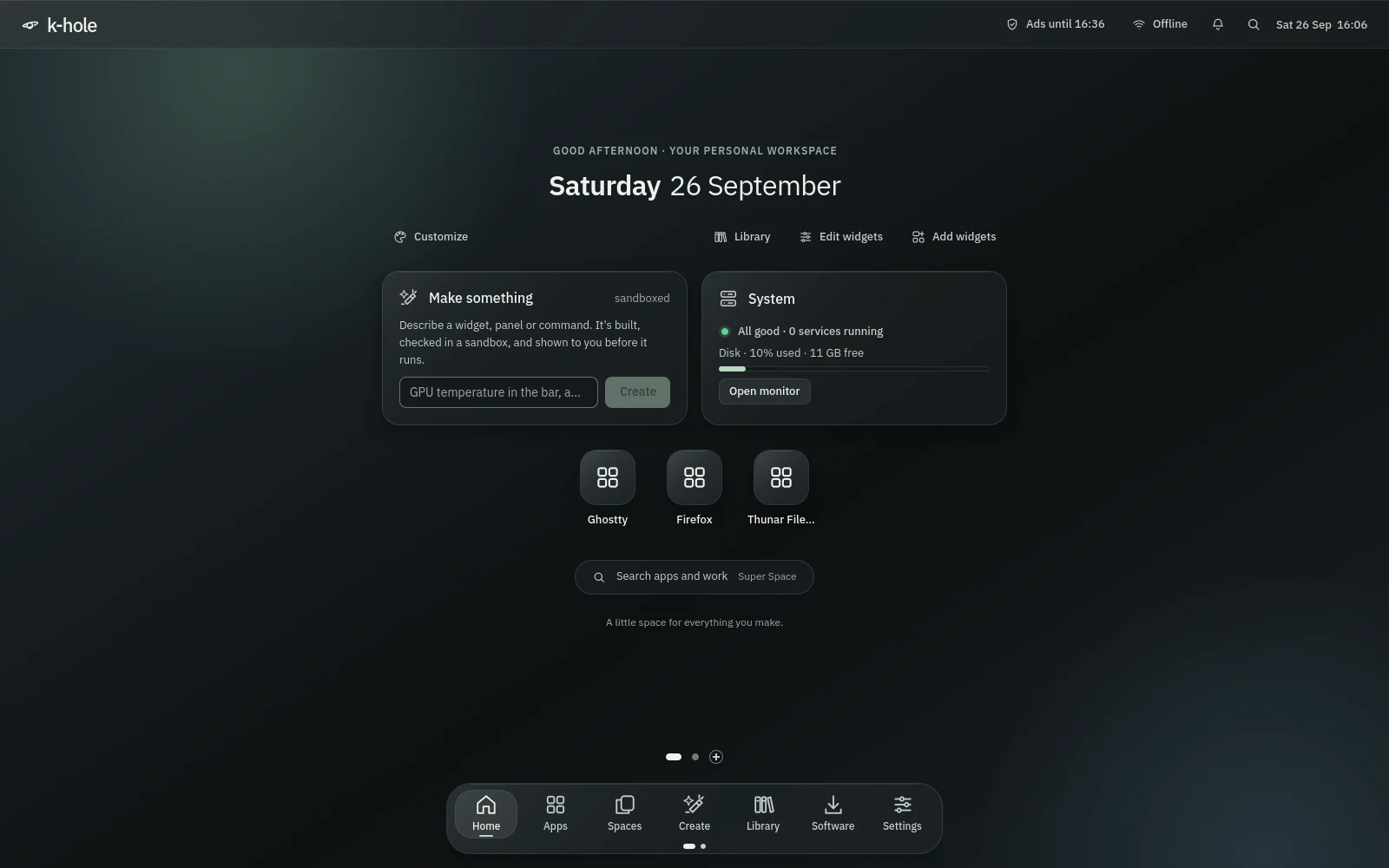
The desktop itself, on any empty Space: the date, Customize, Make something, one line of system health (a failed service opens its log), pinned apps and a search pill.
The focused window's title with minimize, maximize and close, your Spaces, genui widgets, the tray, Tailscale, network, volume, battery, notifications, search and the clock. It tightens on small screens.
Two pages: the shell's own places, then pinned and running apps with a dot under each running one. Click brings a window forward, middle click opens another. It rises when you rest on the bottom edge, or stays up.
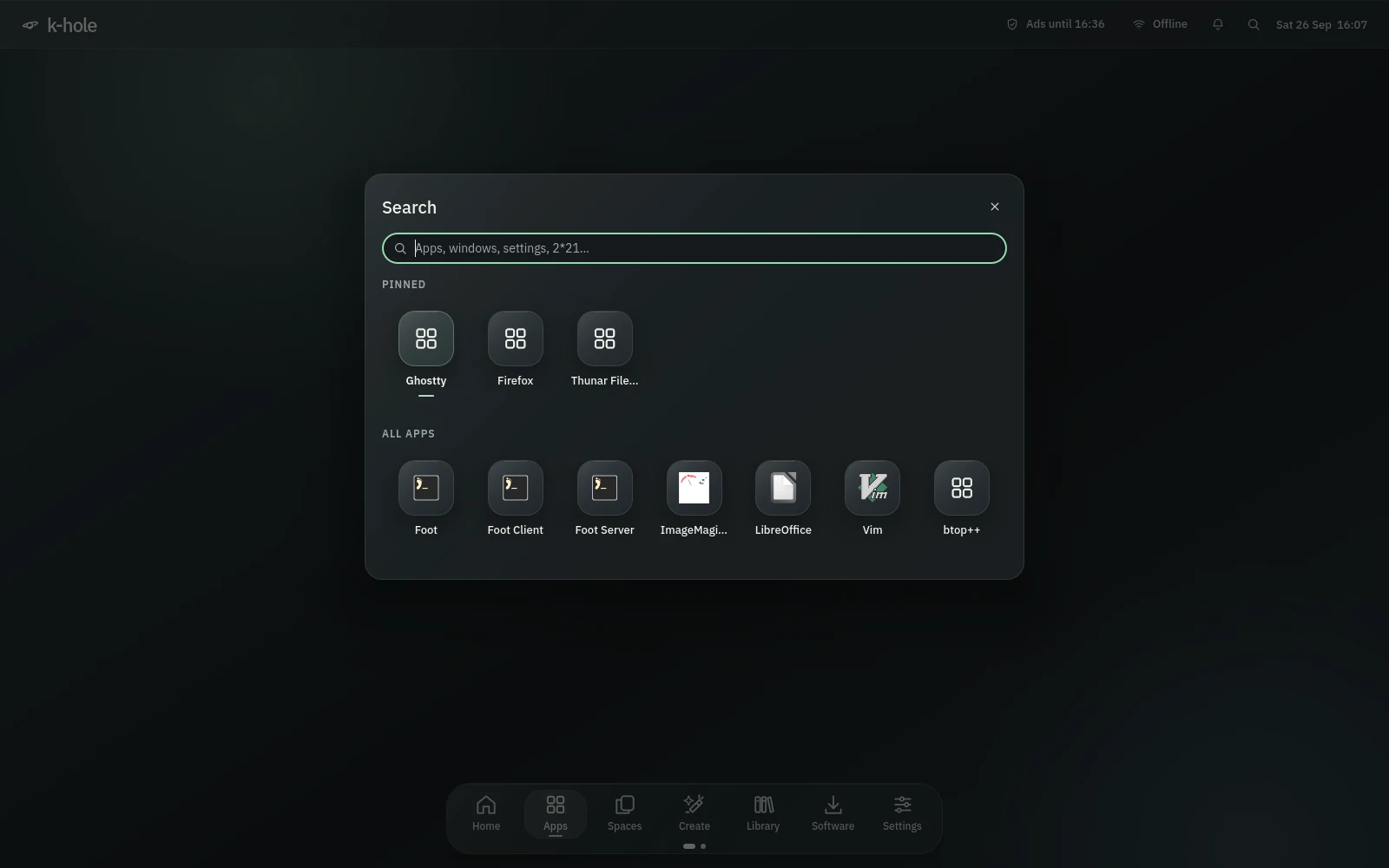
Apps ranked by how often you open them, open windows, Settings pages, actions, a calculator and "Make …". Apps meant for other desktops stay out of the list.
SuperSpaceHold Super and tap Tab to step through Spaces, let go to land. Alt+Tab works the same way, a quick tap flips to the previous window, and the card shows only while you hold Alt.
SuperTab AltTabPush into the top-left corner for a quarter of a second and Spaces opens. A pointer that just lands or parks there opens nothing.
Volume and output, brightness for every screen, keyboard light, Wi-Fi, Bluetooth, Do Not Disturb, microphone, airplane mode, power mode and the ad blocker.
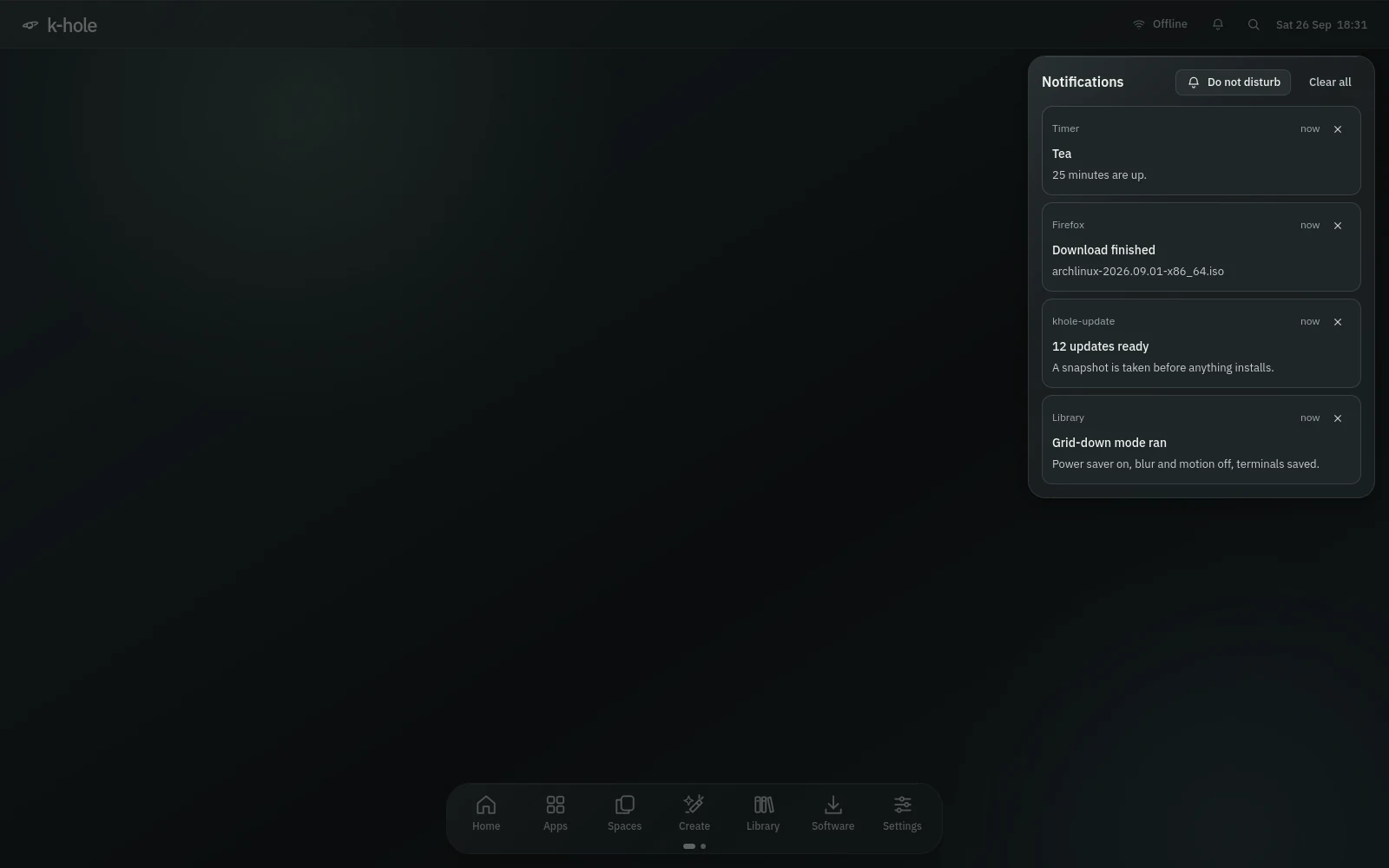
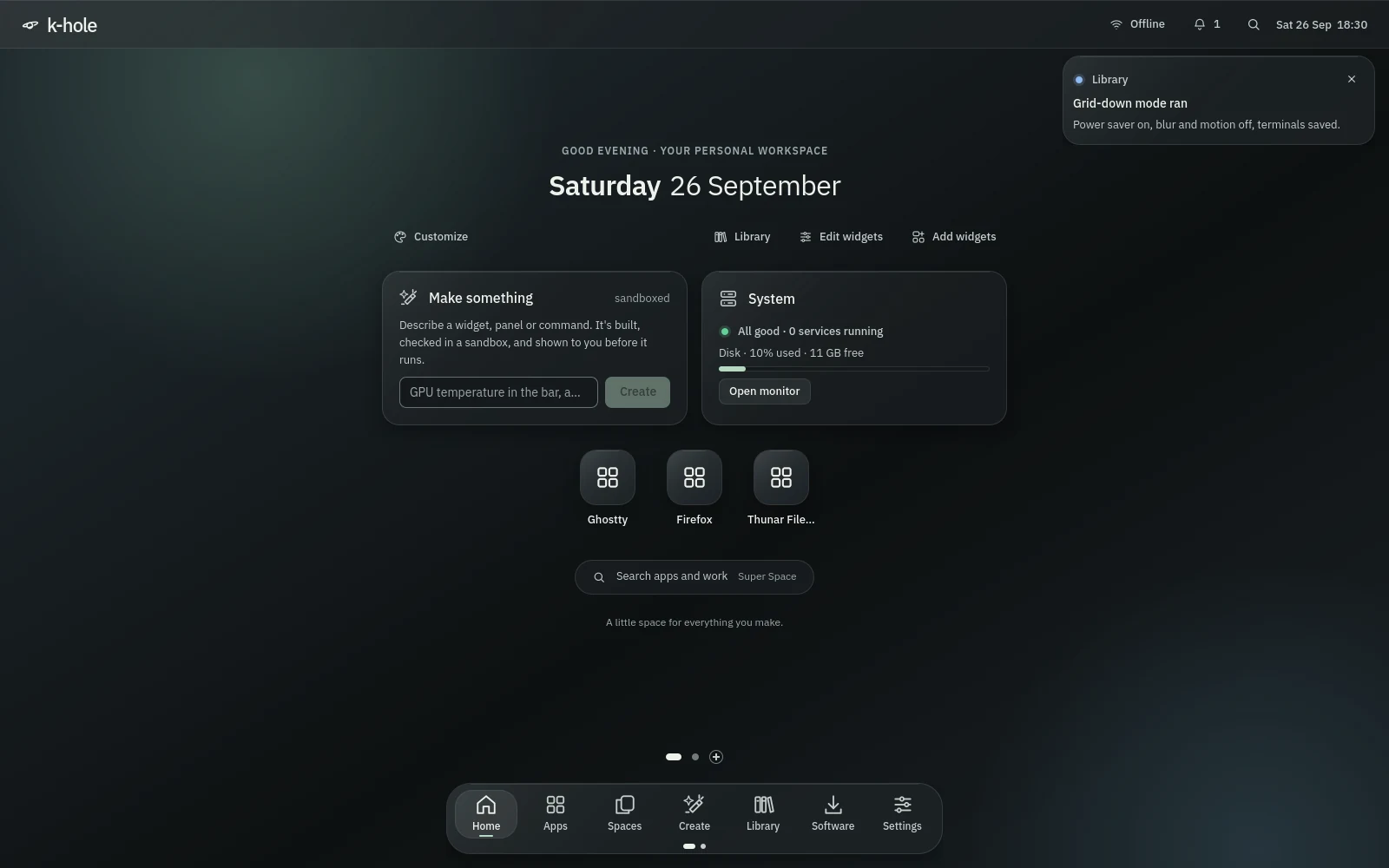
SuperAThe shell is the notification server: toasts under the bar, a history behind the bell, Do Not Disturb with a VIP list of apps or words. mako takes over if the shell isn't running.
SuperShiftNVolume in 5% steps (Shift+Volume up to 150%), mic mute, screen and keyboard brightness, external monitors over DDC/CI, display mode, airplane, touchpad, calculator, lock, sleep. They work while the shell is down too.
Three fingers sideways switch Spaces, three up open search, four up or a pinch show all Spaces, four down show the desktop.
Hyprland has no minimize; k-hole adds one. "N minimized" in the bar lists them, and each goes back to the Space it came from.
SuperM SuperShiftMPages behind Home: Desktop 1 is your Desktop folder, more pages are folders inside it, and an empty one goes away when you leave it. Icons open, rename, drag and go to the Trash like a file manager.
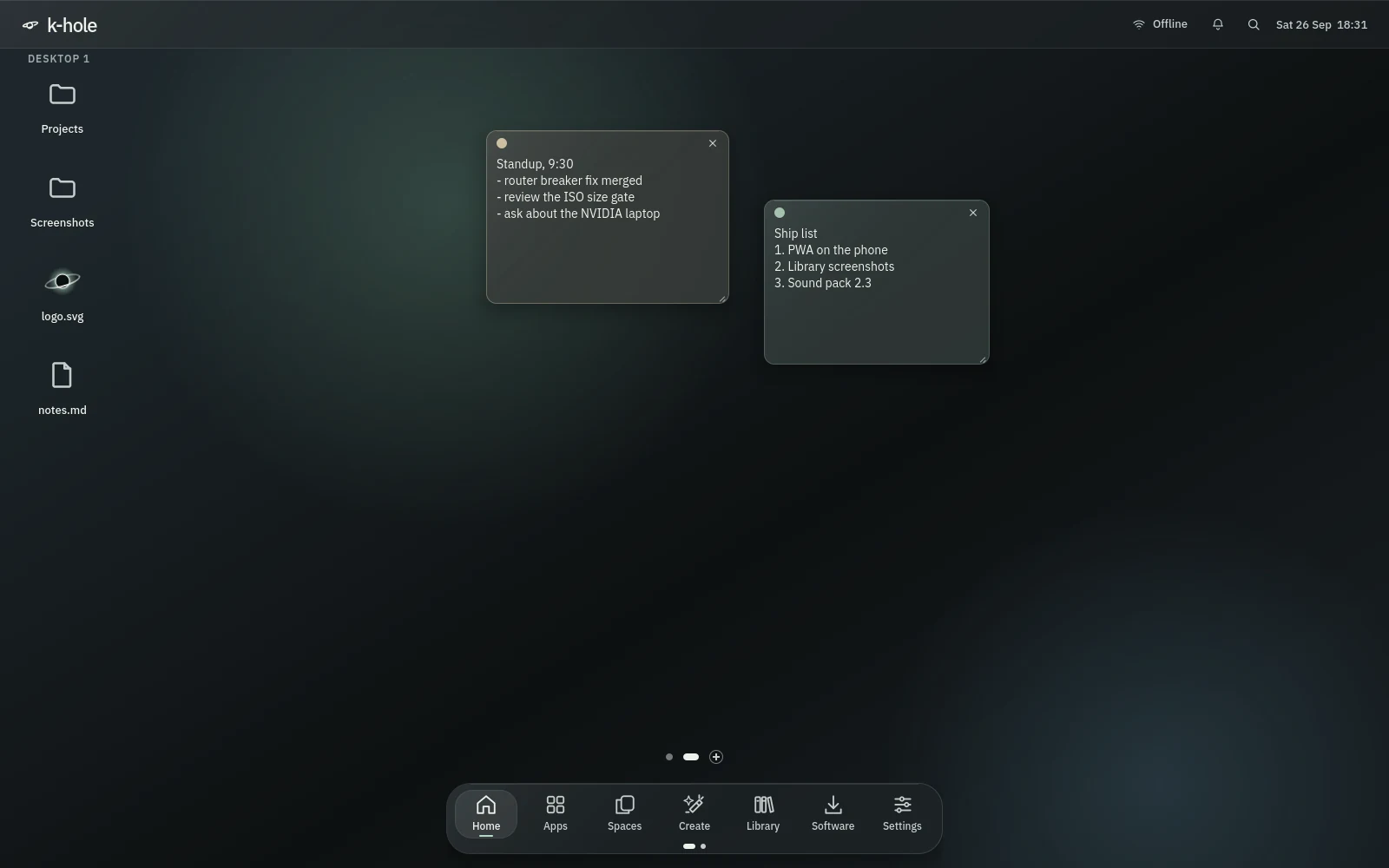
SuperCtrl←→ SuperCtrlDPlain or sand, sage, sky, rose or accent, with undo and a reminder bell. "Notes" in search lists them all.
SuperCtrlNType timer 25m tea or alarm 7:30 in search, or ring the bell on a note. Reminders are re-armed at login, and missed ones show late.
Clipboard history with a picker, cleared in one key. Print takes a region, Shift+Print the screen, both into Satty.
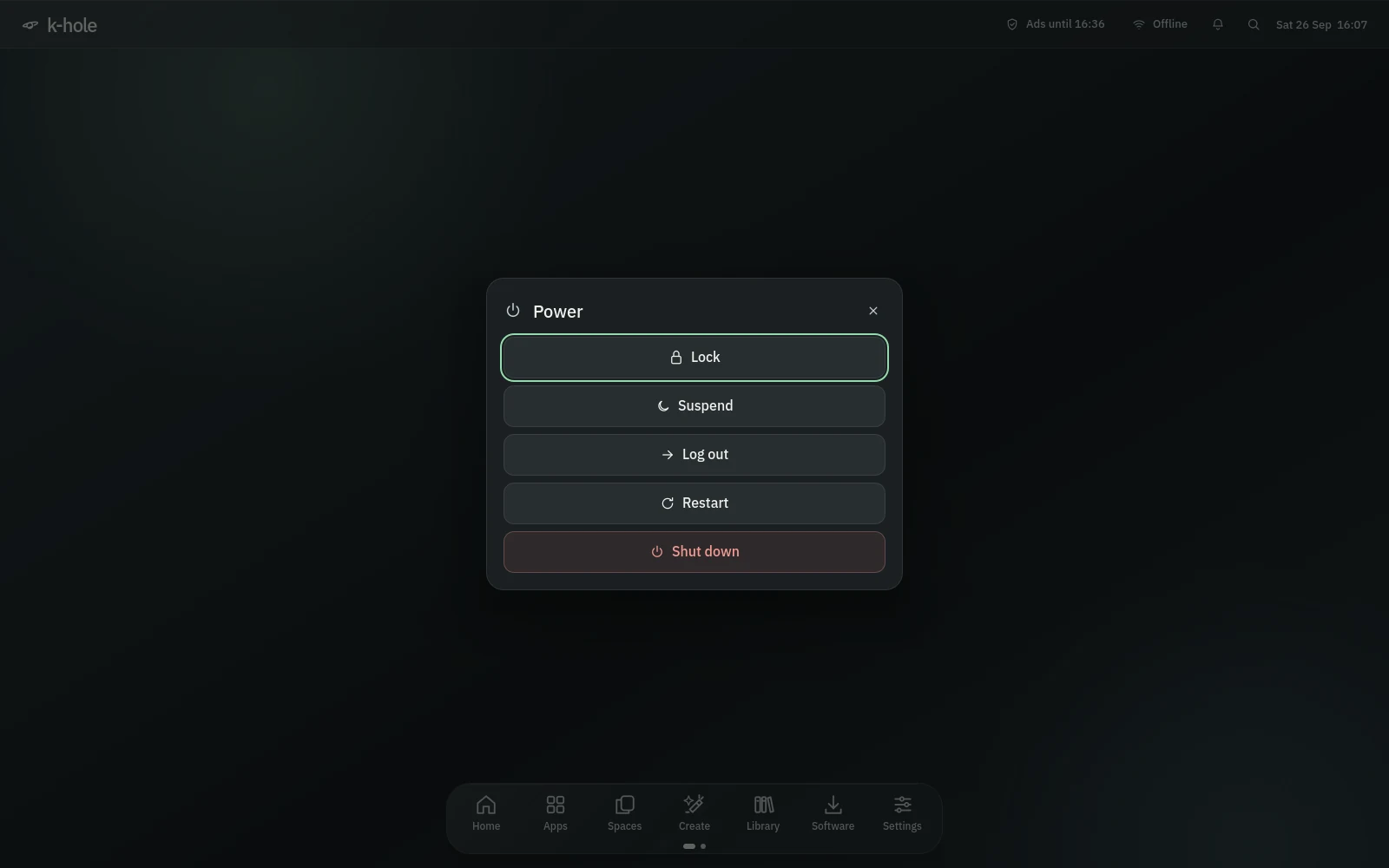
SuperV PrintLock, suspend, log out, restart or shut down, with a spoken countdown, focus on Cancel and a "30 s more" button.
SuperShiftEWindows, apps, terminals, the session and every Fn key, in one overlay.
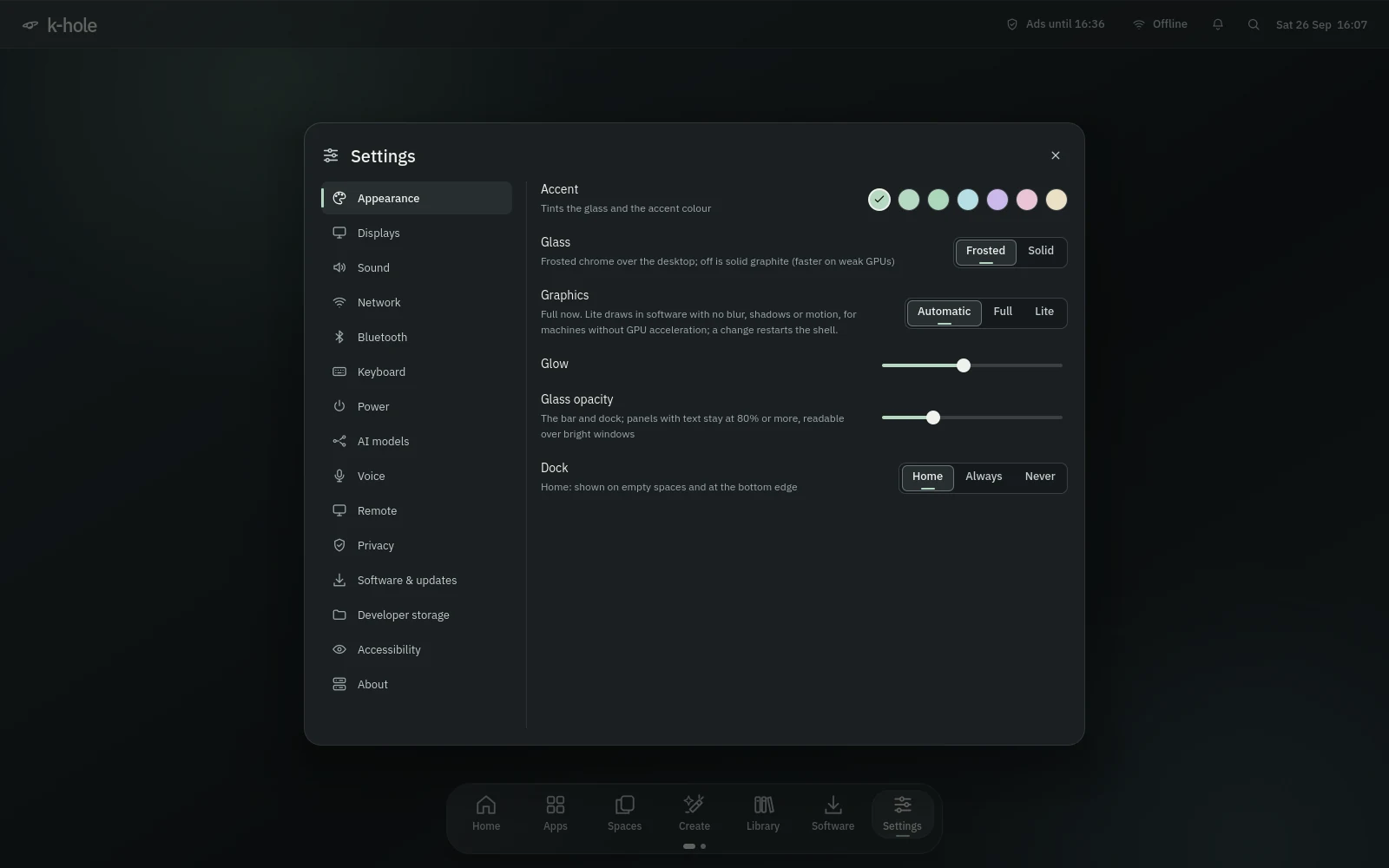
Super/Default, graphite, sage, ice, lilac, rose and amber, with glow, glass opacity and frosted or solid glass. They recolour Hyprland, GTK, Qt, Ghostty, fuzzel, mako and the icon theme.
Appearance, displays, sound, network, Bluetooth, keyboard, power, AI models, voice, remote, privacy, software, developer storage, accessibility and about. Changing a monitor's scale keeps its mode and moves its neighbours with it.
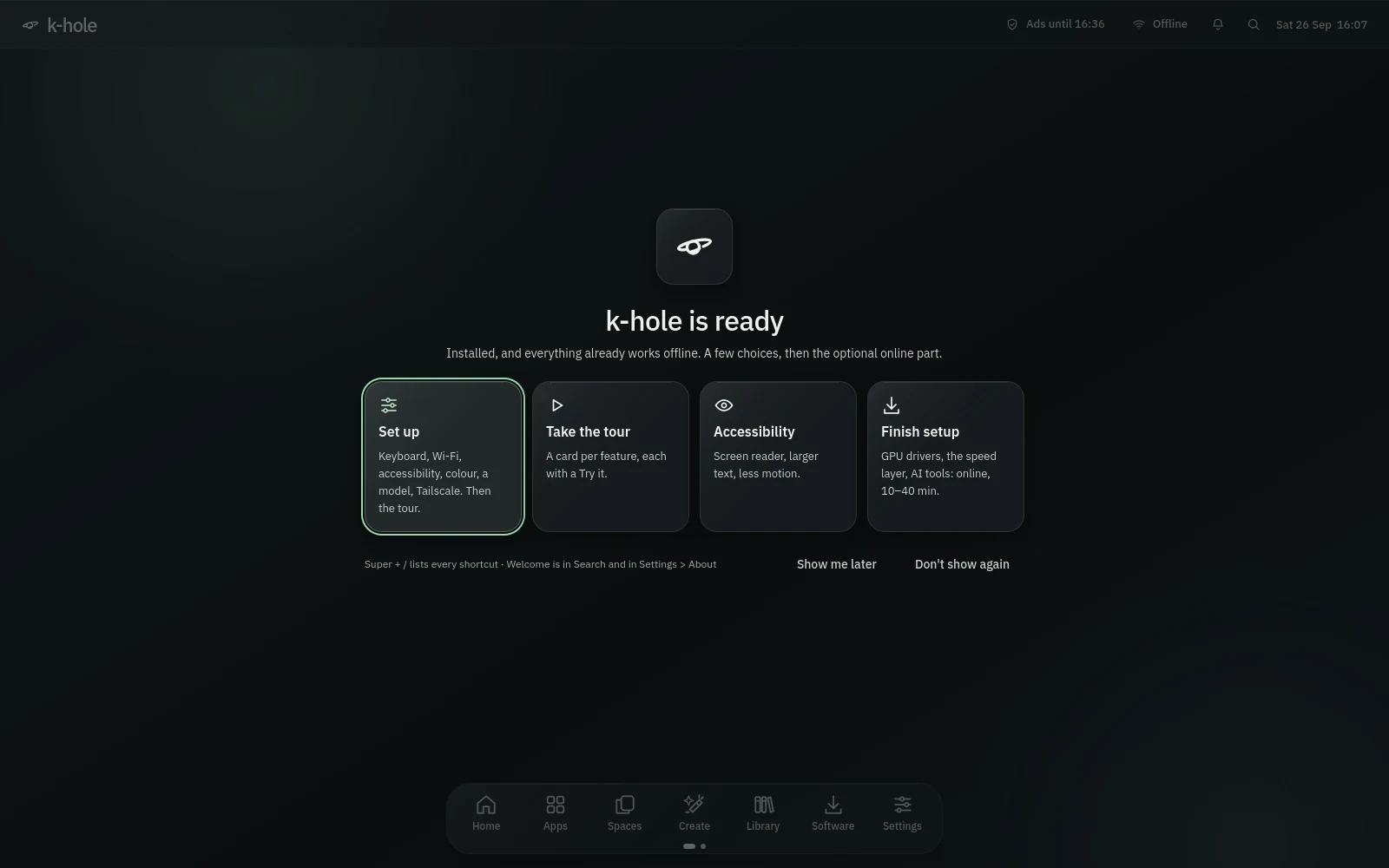
SuperIAt the first login: accent and glass, Wi-Fi and Tailscale, a model (a key from OpenRouter, Groq, Gemini, Cerebras or Mistral, or local models with Ollama), then a tour with a Try it for each feature and three live AI demos that ask before they install or run anything. Closing it brings it back once.
Terminal (Ghostty), Code (Zed), Files (Thunar), Paint (Pinta), Images (imv), Videos (mpv), Documents (zathura), Screenshot, Monitor (btop) and SSH (mosh). Searching an app's own name still finds it.
The khole icon theme draws each default app's glyph on a Quiet Glass tile. Zed, btop, mpv, zathura, imv and Satty get colours from the same tokens.
The config is Lua. Your changes live in ~/.config/hypr/local.lua, loaded last and never overwritten; an older local.conf is moved over once, and Settings lists binds that collide with yours.
If the shell is down, Super+R still opens fuzzel and the Fn keys still work.
SuperR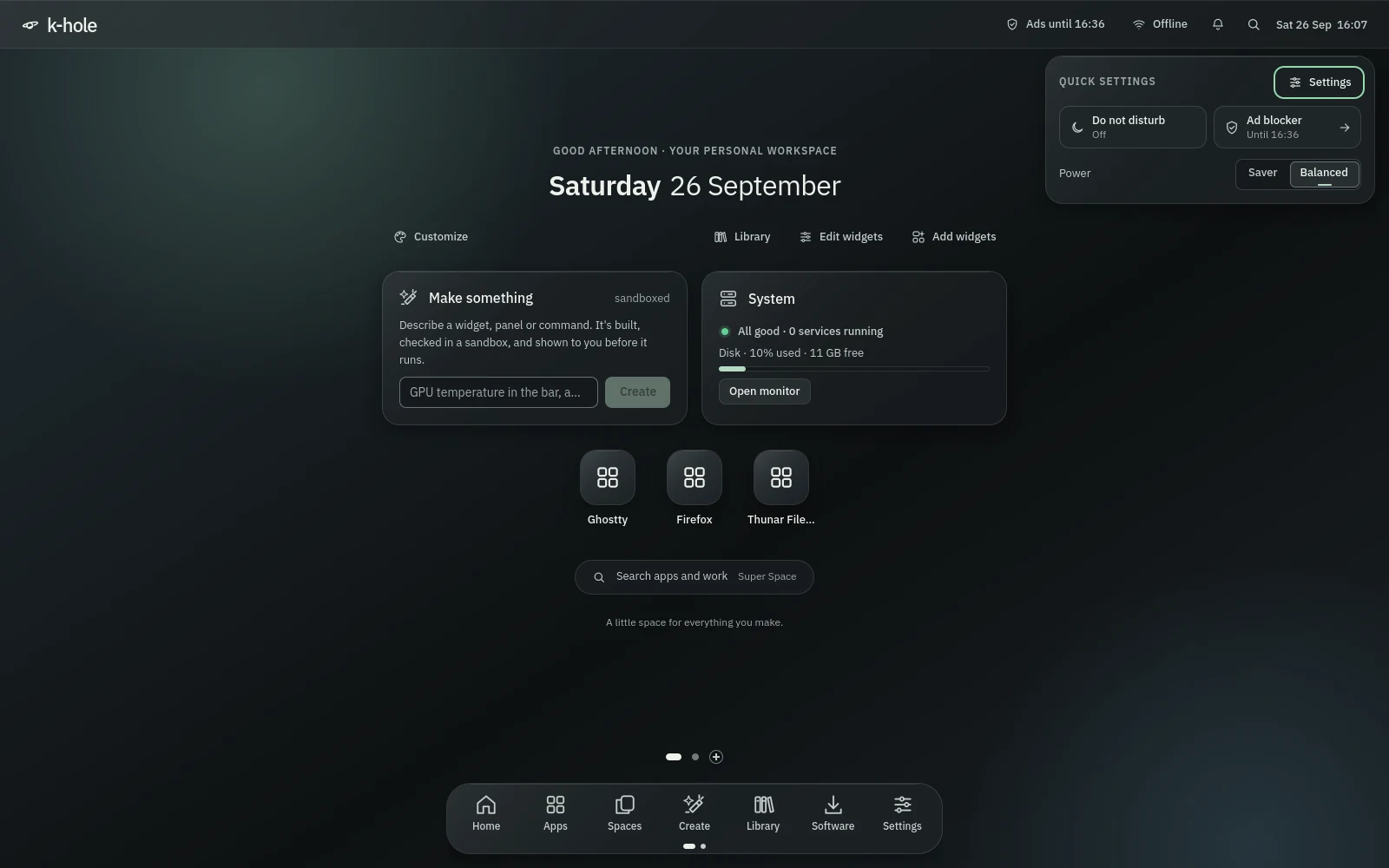
genui
Describe a widget, panel, command or service. Your model writes it, k-hole checks it in a sandbox with the network off, and you approve what it may do before it runs.
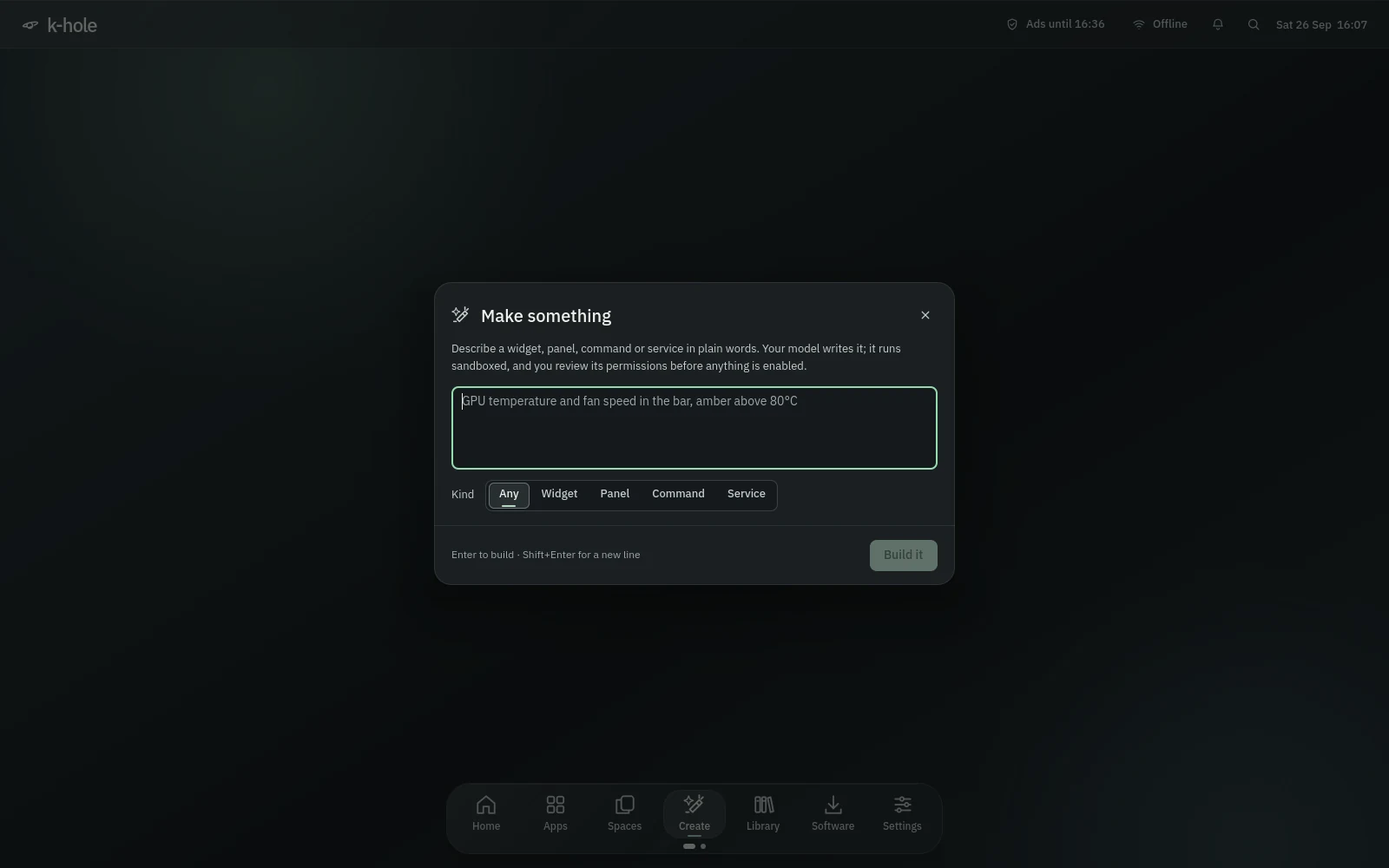
A widget lives in the top bar and refreshes on a timer; a panel floats; a command is a search entry that answers in a notification; a service is a systemd user timer.
Anthropic, any OpenAI-compatible API, local Ollama, or the built-in router with no key of its own. Keys stay in the login keyring, unlocked when you log in.
The backend runs once with no network, no D-Bus and read-only paths, and the QML loads headlessly in its own bubblewrap sandbox, first empty, then with sample data.
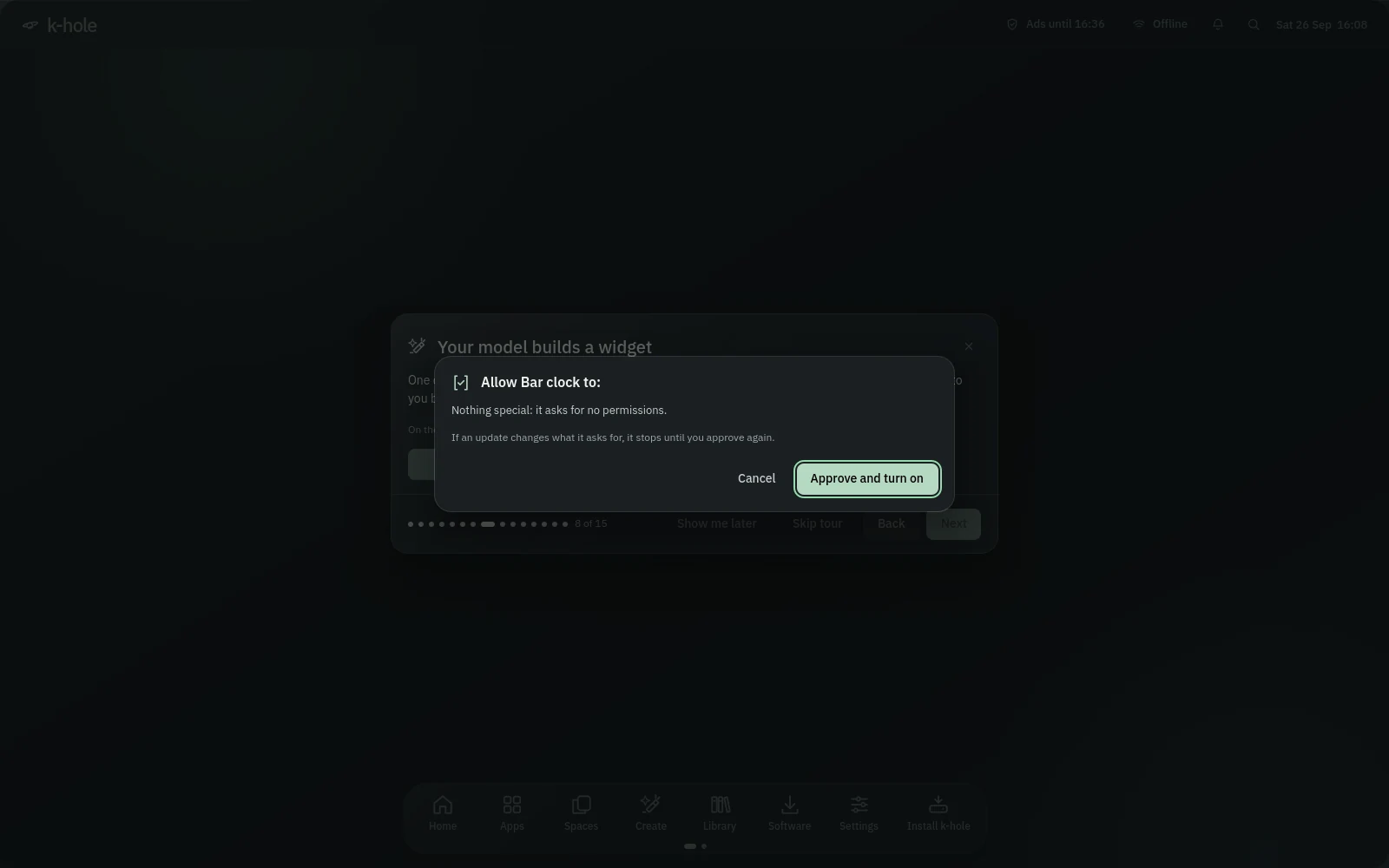
Reads, writes, network, D-Bus, processes and a router snapshot each appear in a table. A change in what a plugin asks for turns it off until you approve again.
An empty home, read-only /usr, its own process namespace, network only through pasta in its own namespace, D-Bus through a filtering proxy, a time limit and a 64 KB output cap.
Credentials, keyrings, browser profiles, shell history, login dotfiles and /run. Paths are checked again at run time, so a symlink can't swap one in.
No network APIs, dynamic loading, URLs, template literals, escapes, unbounded loops or recursion in generated QML. For plugins without network, links in their output are broken before they reach the screen.
Ask for a change in words. A plugin that fails its checks goes back to your model with the errors, a few rounds at most. Every change is a git commit you can undo or roll back to.
Each version is deployed read-only and the last five are kept.
Spend ticker, Free-tier fuel, Pod meter, Route map, Forty dots, Data meter, USB log, Memory pill, Two clocks, Hotspot badge, Engagement clock and Quick notes. Checked and approved like your own.
Plugins load in the background, and one that takes over 4 seconds to build is unloaded.
genui new, enable, edit, history, undo, show --source and doctor.
khole-flow · the Library
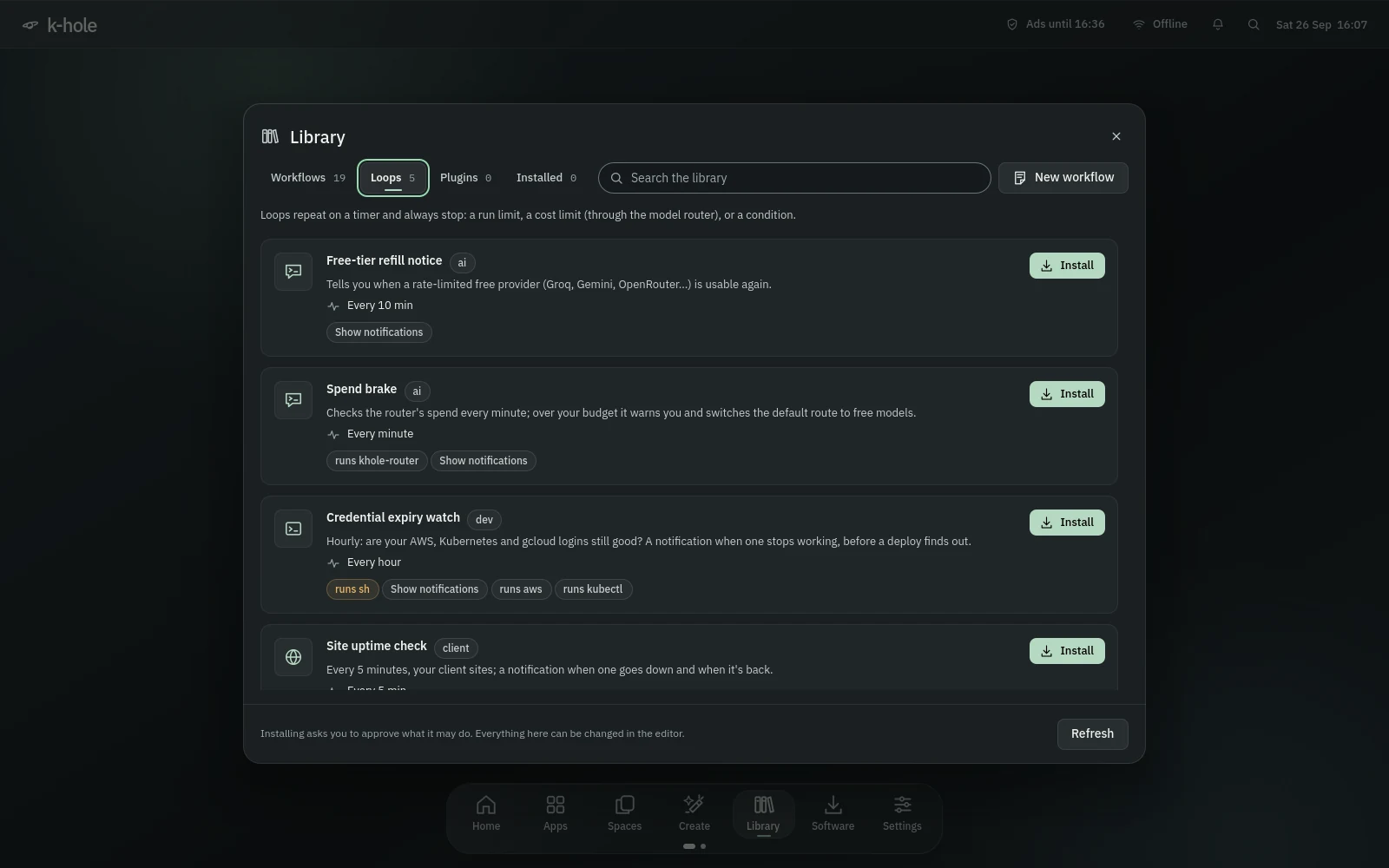
Workflows react to what's happening on your machine. Loops keep a model working toward a goal, with limits you set. The Library holds them, the genui plugins, and an editor.
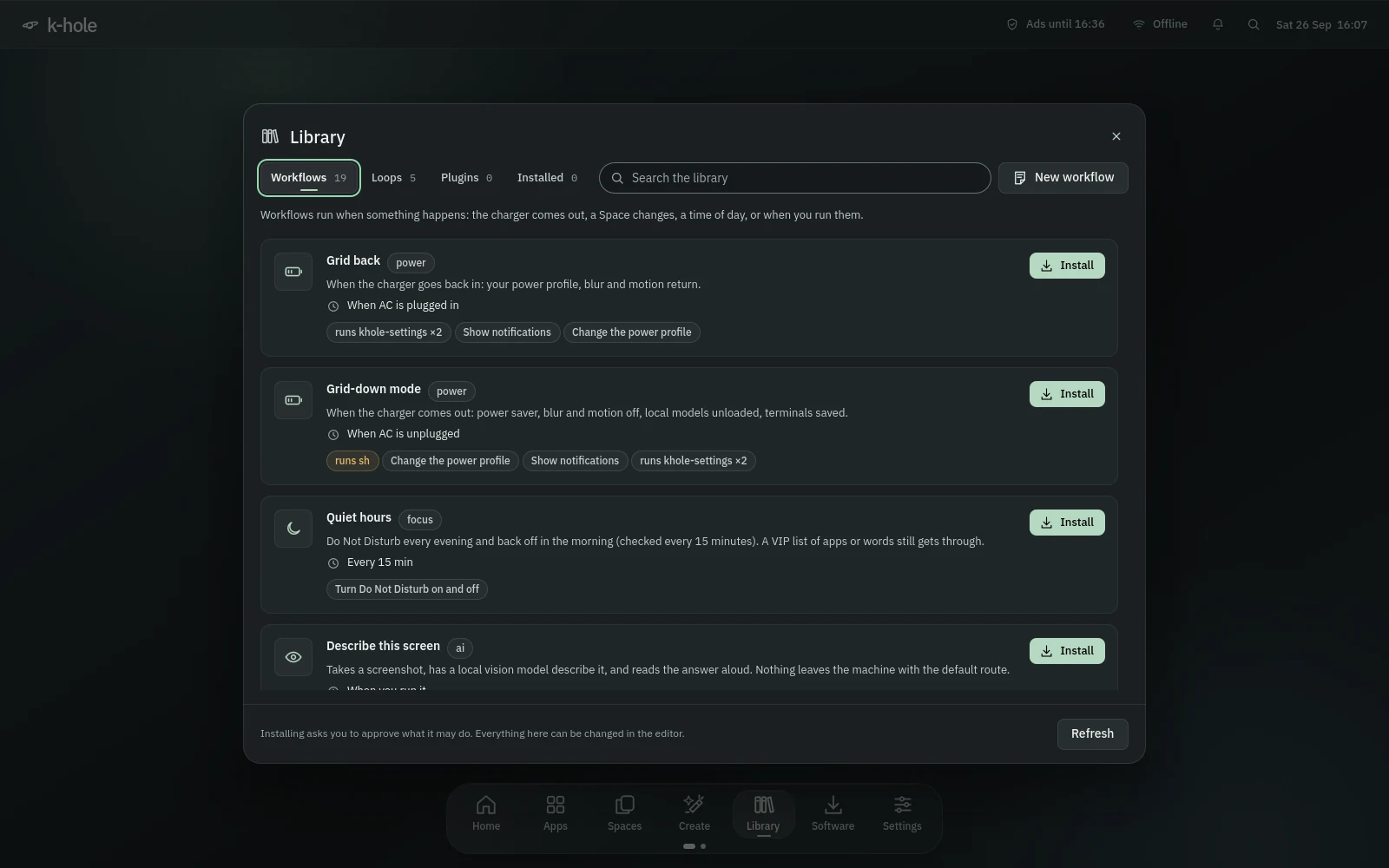
Charger in or out, a metered or changed network, window focus, a Space change, a stream starting or ending, a file changing, a USB device, login, a time of day, or your own events.
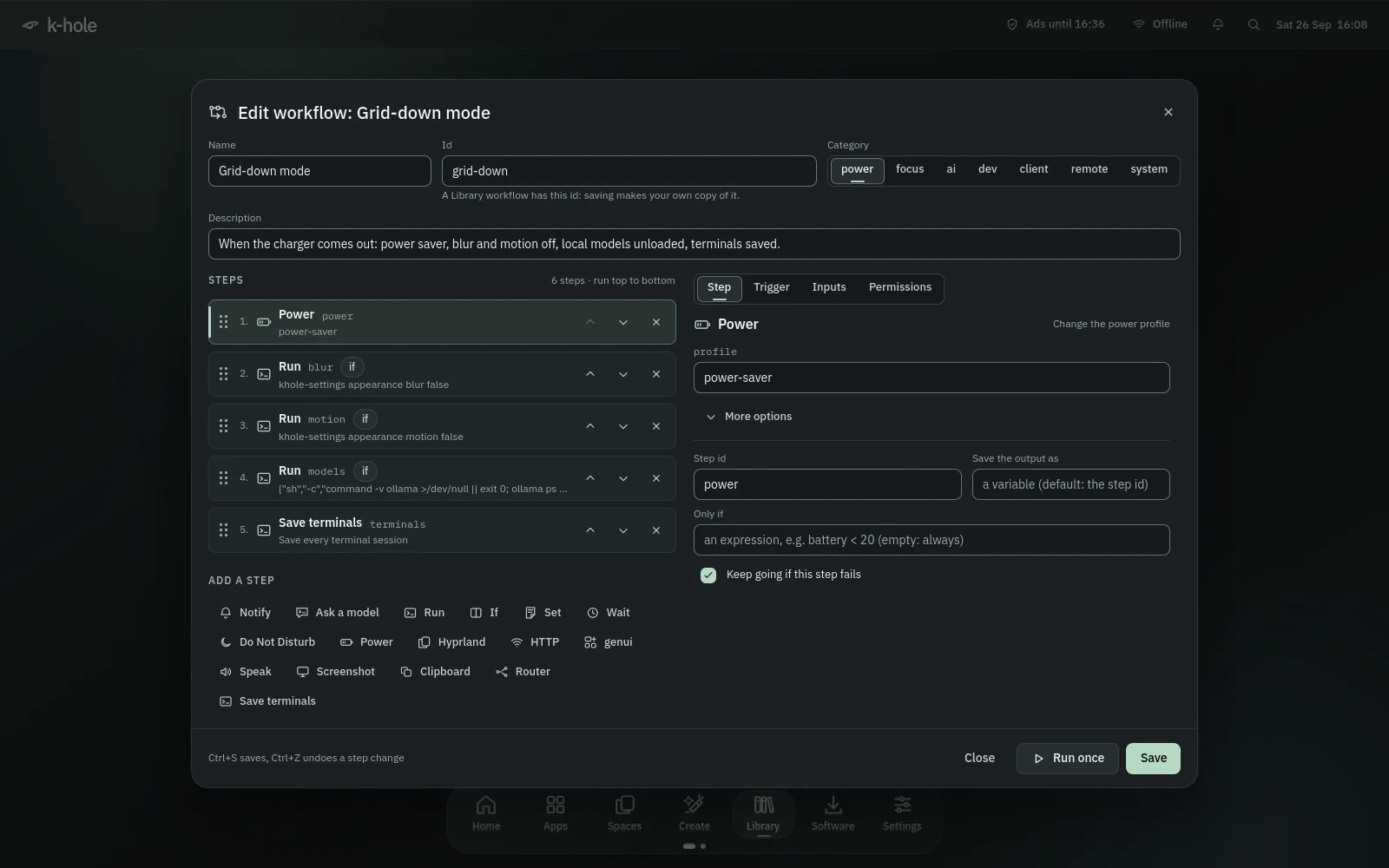
Ask a model, run, notify, Do Not Disturb, power, Hyprland, HTTP, genui, set, if, wait, speak, screenshot, clipboard, router and save terminals. Conditions use their own small language, never eval.
Installing shows what a workflow may do, with risky permissions marked. A change to its permissions or trigger needs your approval again, and if it changed while the sheet was open, it stays off and says so.
Every loop has a maximum number of runs and a spending cap, checked against the router's usage, and can stop on a condition. Local and free models cost nothing.
Grid-down mode, Grid back, Quiet hours, On-call switch, Metered mode, Milestone freeze, Captive portal catcher, Spend brake, Site uptime check, Describe this screen, Weekly debris sweep and more.
Drag steps, set the trigger, inputs and permissions, and let "Match the steps" fill the permissions in. Your copy replaces the Library's.
CtrlS CtrlZAn on/off switch, Run now with each step's result as it happens, Options for inputs, and the last run's time and outcome.
On-call switch, Metered mode and Milestone freeze pause system updates until you're ready or a date passes.
The background service starts a monitor only for events an enabled workflow uses.
A workflow can call allowed dispatchers and settings only, never an arbitrary command through Hyprland.
khole-router · Ollama · khole-cloud
One local, OpenAI-compatible endpoint for every tool on the machine. Add keys once; routes pick a model you can reach and move on when one is rate-limited or down.
127.0.0.1:4141, started on demand for each user. Any app that takes an OpenAI base URL can use it.
OpenRouter, Groq, Cerebras, Gemini, Mistral, NVIDIA NIM, GitHub Models, Hugging Face, SambaNova, Cohere, Chutes, xAI, Together, DeepSeek, OpenAI, Anthropic, Ollama and LM Studio.
khole/free, fast, smart, code and local, plus your own. A step can name a model exactly or pick the newest one that matches a pattern.
A refused key rests 30 minutes, a rate-limited one as long as the provider asks, a silent provider from 30 seconds up to 10 minutes. A request that was sent is never replayed.
Several keys per provider, entered on stdin into mode-600 files, sent only over https or to this machine. Every client needs the router's own token.
A request from a browser page gets a 403, so a website can't spend your keys.
khole-router connect genui, opencode, env or claude writes the endpoint and token where each tool reads them.
"Add your first key" with Groq, Gemini or OpenRouter, the model each step resolves to, provider health, a Test button, drag to reorder and 10 seconds of undo.
khole/stt tries Groq's free Whisper first, then OpenAI or whisper.cpp on this machine; khole/tts speaks.
Ollama built for CUDA, ROCm, Vulkan or the CPU, its context sized for the GPU, and khole-models pulls the largest model per role that fits your VRAM.
khole-cloud deploys vLLM on Modal (one container, stops when idle, proxy-token protected), adds a RunPod endpoint or any OpenAI-compatible URL as a provider.
jev
Optional and off until you turn it on. Hold a key, say what you want, and jev does it on the desktop through your models.
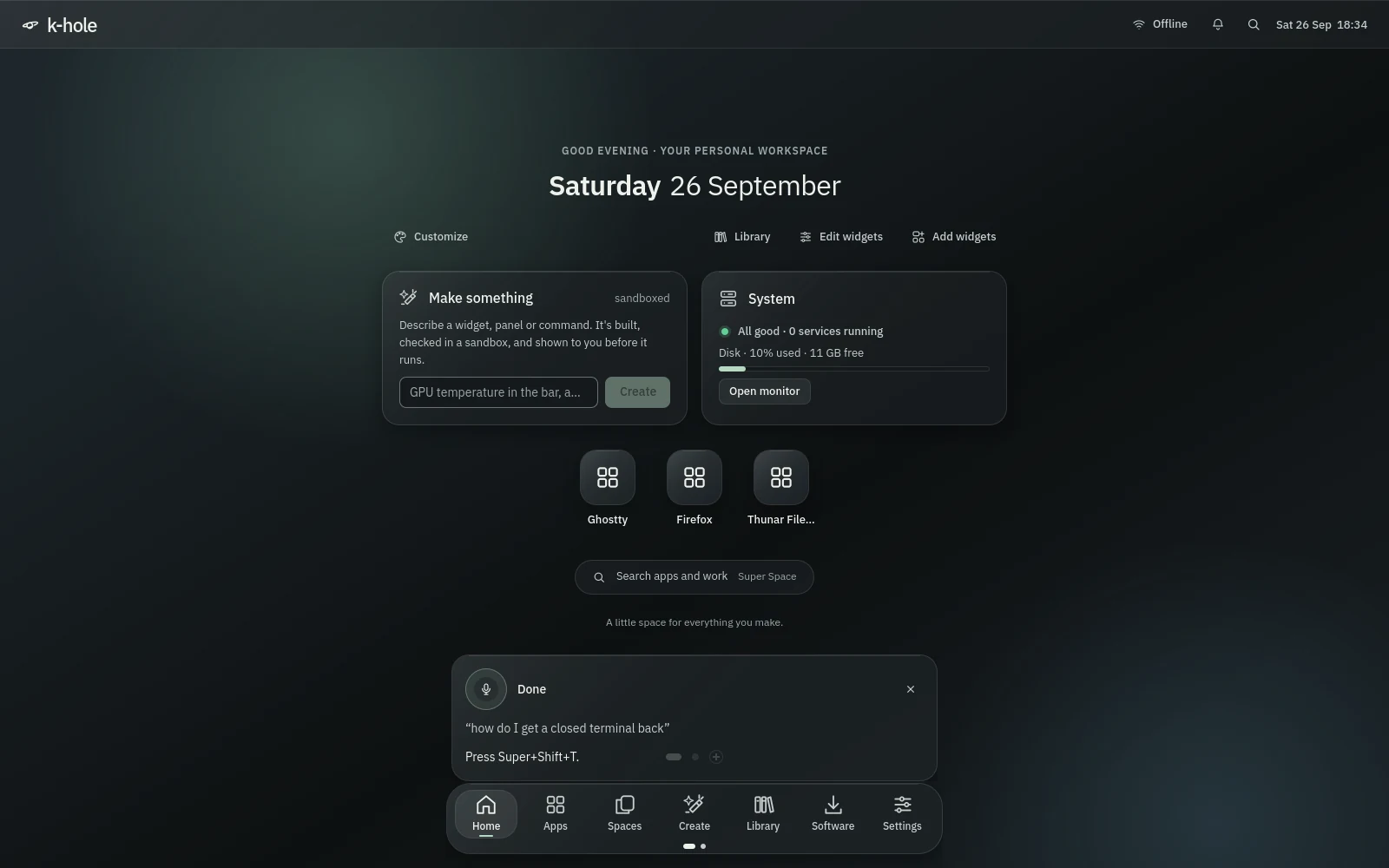
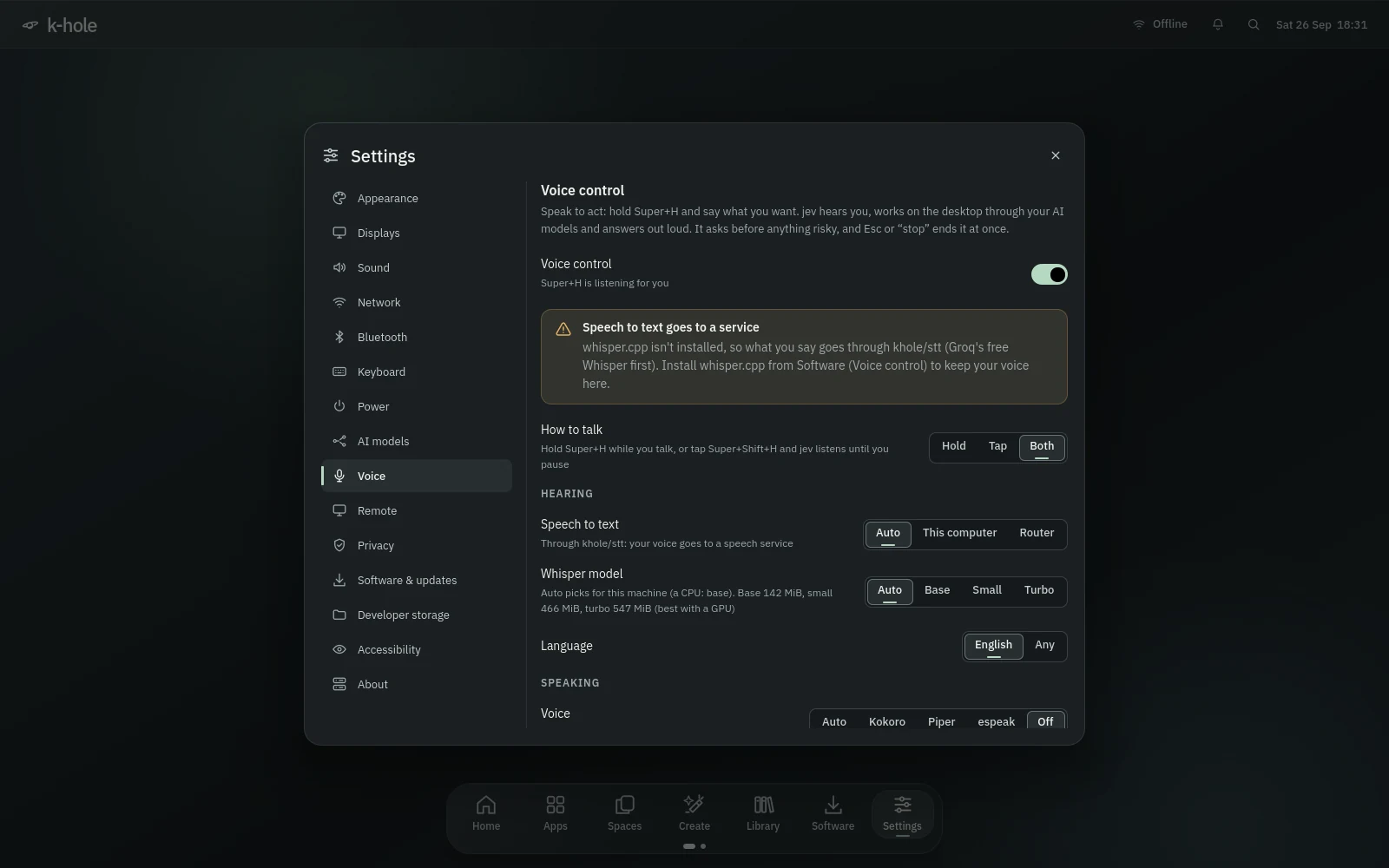
Hold Super+H while you talk, or tap Super+Shift+H and it listens until you pause.
SuperH SuperShiftHwhisper.cpp on this machine (CPU, Vulkan or CUDA), or the router's speech route.
Looks at the screen, clicks, types, scrolls, drags, switches windows, opens apps and links, sets volume, brightness, Do Not Disturb, Wi-Fi and Bluetooth, and runs workflows and genui actions.
Kokoro, Piper or espeak-ng, sentence by sentence. Talk over it and it stops to listen.
Typing into a terminal or editor, sending, deleting, buying, anything in a password field: a spoken or clicked yes first. A link opens only if you named the site.
12 steps and $0.10 by default, both changeable in Settings, Voice.
Your voice and screen never leave the computer; otherwise the card says "Screen goes to" the provider whenever a cloud model sees it.
Esc, the stop button or saying "stop" ends everything at once.
EscIt listens only while you hold or tap the key.
Every action goes to jev-actions.jsonl; models download with their size shown and their checksum verified.
zellij · nix · mise · khole-clean
What you set up on every new machine, already set up, plus a few things that save you from yourself.
Every Ghostty window is a saved zellij session: the directory, the layout and 2000 lines of scrollback survive closing, a crash and a reboot. After a crash, a login notification offers to restore them.
SuperShiftTzellij's own keys are off; Ctrl+Alt+G unlocks it for one action and shows what's there. Idle closed sessions end after 12 hours.
CtrlAltGdirenv and mise in every tier; the Nix package manager and devbox in full.
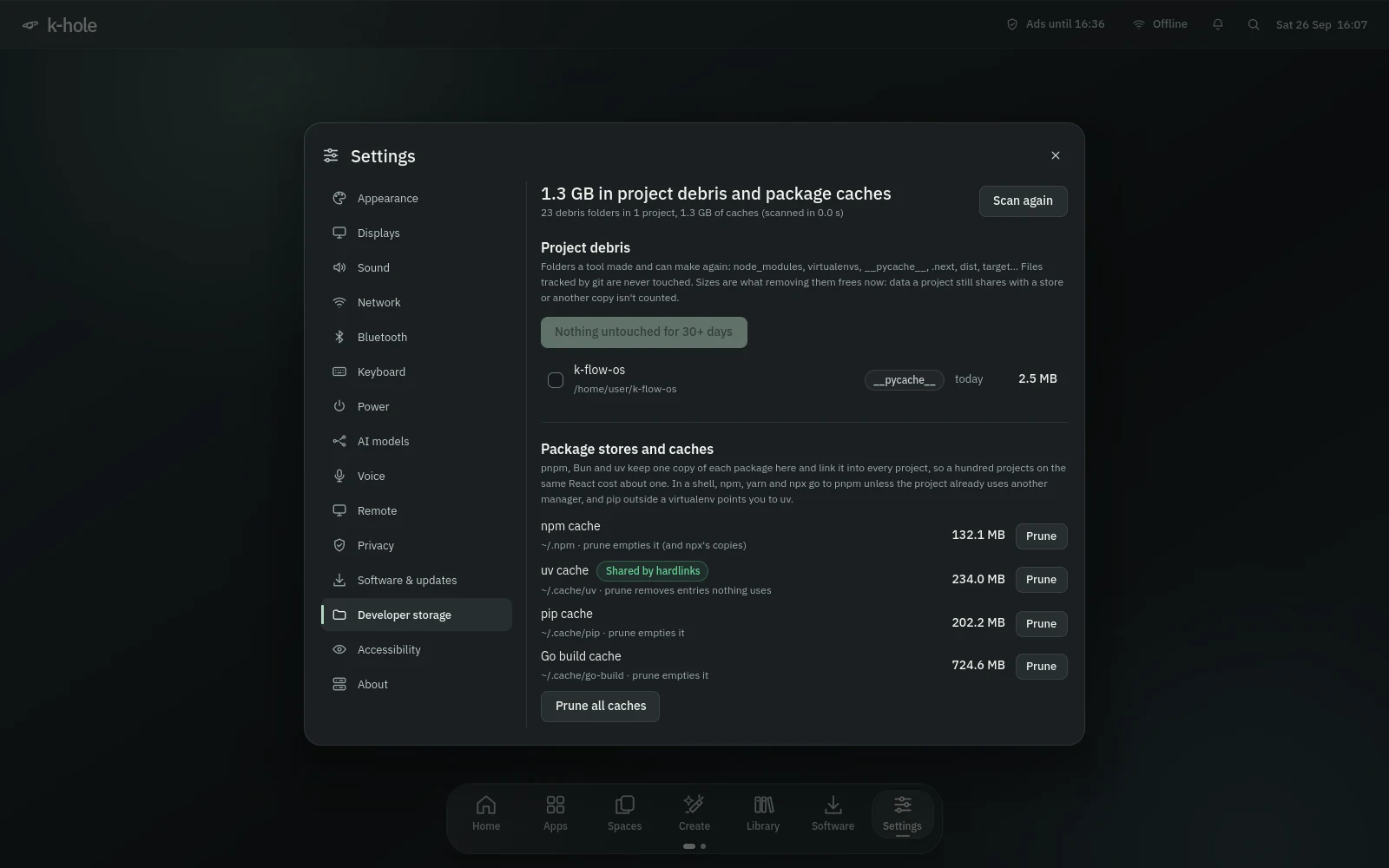
Finds node_modules, virtualenvs, __pycache__, .next, Cargo target and build folders, shows what removing them frees, and cleans what you pick or what's untouched for 30 days. Files tracked by git are never touched.
pnpm, Bun and uv link from one store per ecosystem. npm goes to pnpm only in projects that already use pnpm, and pip outside a virtualenv points you to uv.
Claude Code, Codex, Gemini CLI, OpenCode, Aider, llm and the Hugging Face CLI, installed from upstream.
Python with uv and ruff, Node with pnpm and Bun, Go, Rust through rustup, clang, mold, cmake and ninja.
zsh with starship, fzf, zoxide, atuin, ripgrep, fd, bat, eza, neovim, lazygit, delta, difftastic and the GitHub CLI.
Rootless podman, buildah and distrobox in standard; Docker, kubectl, k9s, helm, kind and minikube in full, with Docker ports bound to localhost.
Overlays, the Library, voice, notifications and the indicator all answer qs ipc -c khole call …, so a key or a script can drive them.
khole-pkg why <name> says whether a package is in k-hole's lists and what needs it.
khole-block · ufw · Tailscale
Ads and trackers stop at DNS for every app, and the defaults assume the network isn't friendly.
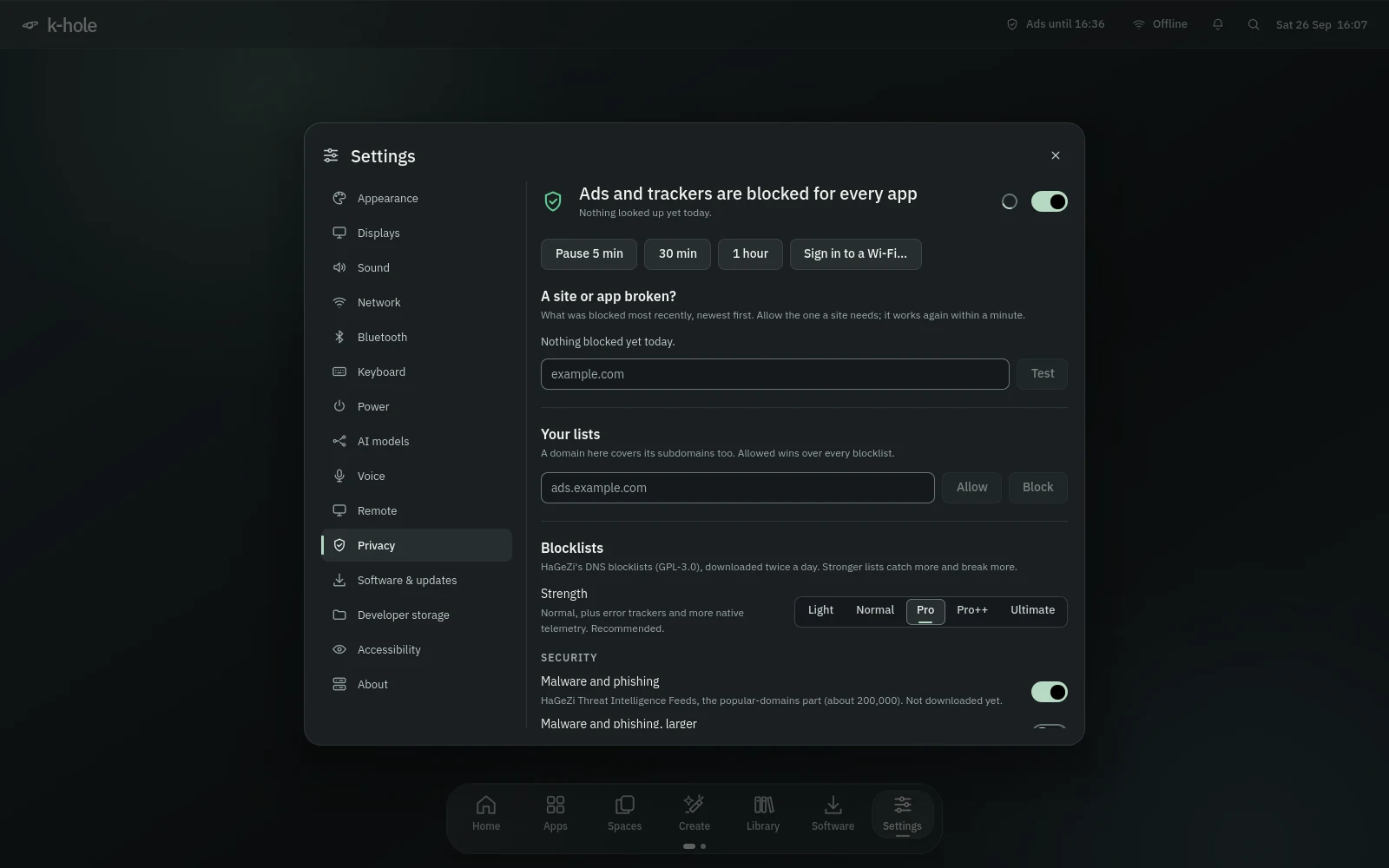
A local resolver (blocky) with HaGeZi's lists, Pro plus a malware list by default, from Light to Ultimate.
Everything not blocked goes over DNS-over-HTTPS to Quad9, then Cloudflare, then your network.
If the blocker stops answering, a watch restarts it and then hands DNS back to your network, and takes over again once it's healthy.
5, 30 or 60 minutes, or 10 minutes of the network's own DNS for a captive portal. The bar reminds you while it's paused.
What was just blocked, with one-click Allow, a tester for any domain, and your own allow and block lists.
uBlock Origin in Firefox, uBlock Origin Lite in Chromium and Chrome, and their own encrypted DNS off so they don't skip the filter.
Tailnet names keep resolving, and phones on your tailnet can use the blocker too.
ufw denies inbound traffic except on Tailscale.
Private kernel pointers and dmesg, no unprivileged eBPF, protected FIFOs and files, no ICMP redirects.
LUKS2 in the installer, with the boot menu inside the encrypted disk.
Installs, updates and snapshots from the desktop go through one polkit action with a short list of allowed verbs; core and GPU packages can't be removed there.
AUR build scripts are shown before they build, the CachyOS repo script is pinned to a reviewed commit, and the Claude Code installer is downloaded and hashed, never piped.
Remote access and voice control start off; remote services listen on Tailscale only.
Secure Boot, TPM unlock and a signed package repository.
btrfs · snapper · khole-update
Arch speed with a way back: updates take a snapshot first, and snapshots boot.
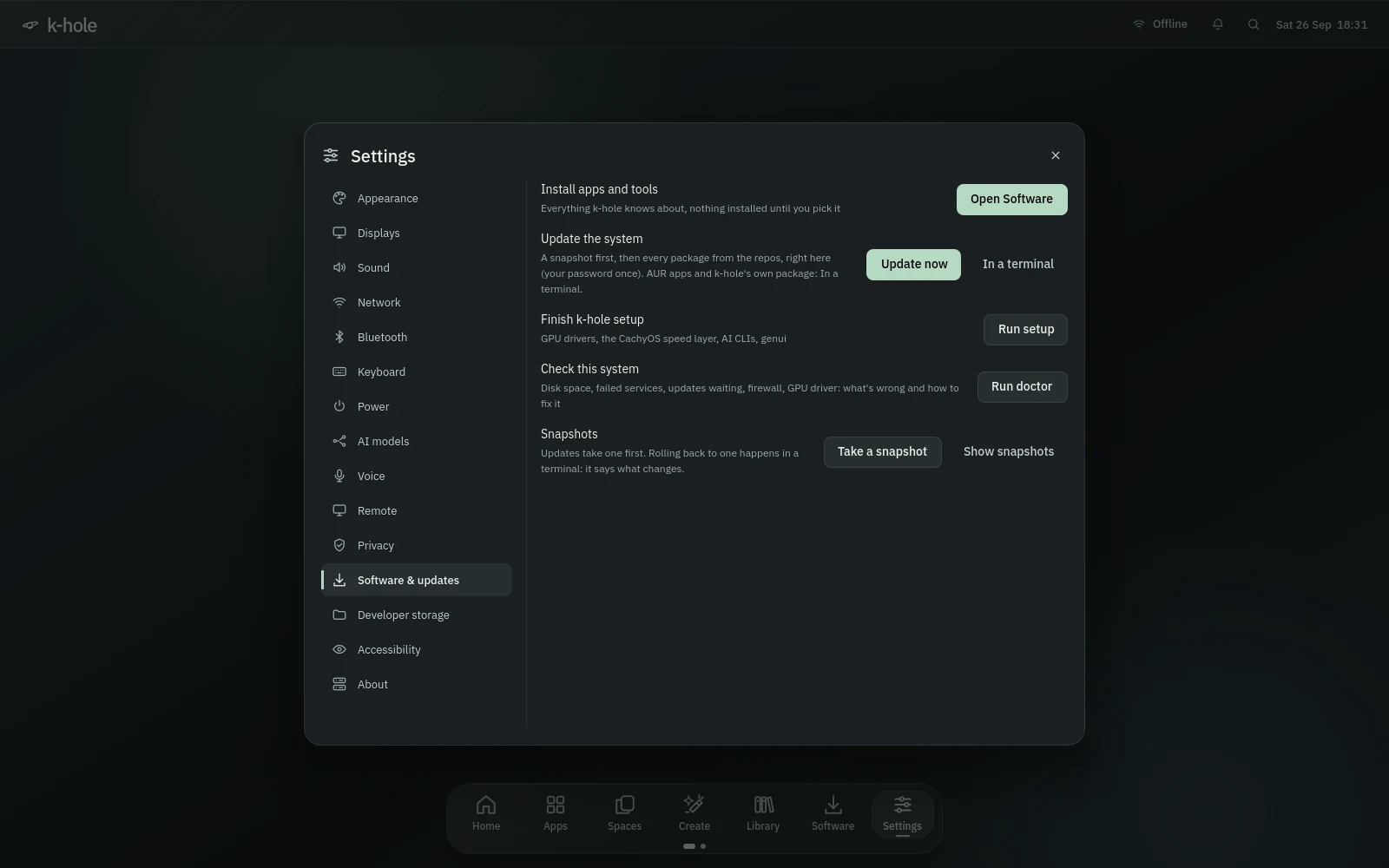
snapper takes one before and after each pacman transaction, plus hourly and daily ones.
Each snapshot carries its own kernel and appears in the GRUB menu (or Limine on plain Arch).
khole-rollback makes a snapshot the running system again and keeps the one you left.
Update now takes a snapshot, updates the system with one password prompt, then Flatpaks, and counts AUR updates for a terminal.
Snapshot, keyring, pacman -Syu, AUR, Flatpak and k-hole itself, in one command.
A hold stops updates until you lift it or until a date, and --ignore-holds overrides it.
khole-doctor checks disk space, failed services, a pending kernel, .pacnew files, snapshots, the firewall, Tailscale, the shell, the GPU driver and genui, and says how to fix each.
Every package k-hole knows about, by category, nothing installed until you tick it. Repo apps install in the window; AUR apps open a terminal so you can review them.
SuperPA watchdog restarts a stuck desktop shell; if it keeps crashing it comes back in software rendering, then opens a terminal that shows why.
The tools, the desktop and /usr/share/khole come from one pacman package, so pacman -Qkk khole knows every file.
Dotfiles you changed are left alone; the new default lands next to them as .khole-new. Symlinked dotfiles stay symlinks.
Tailscale · RDP · Moonlight · the browser
Reach your running desktop from a phone or another computer, over your tailnet.
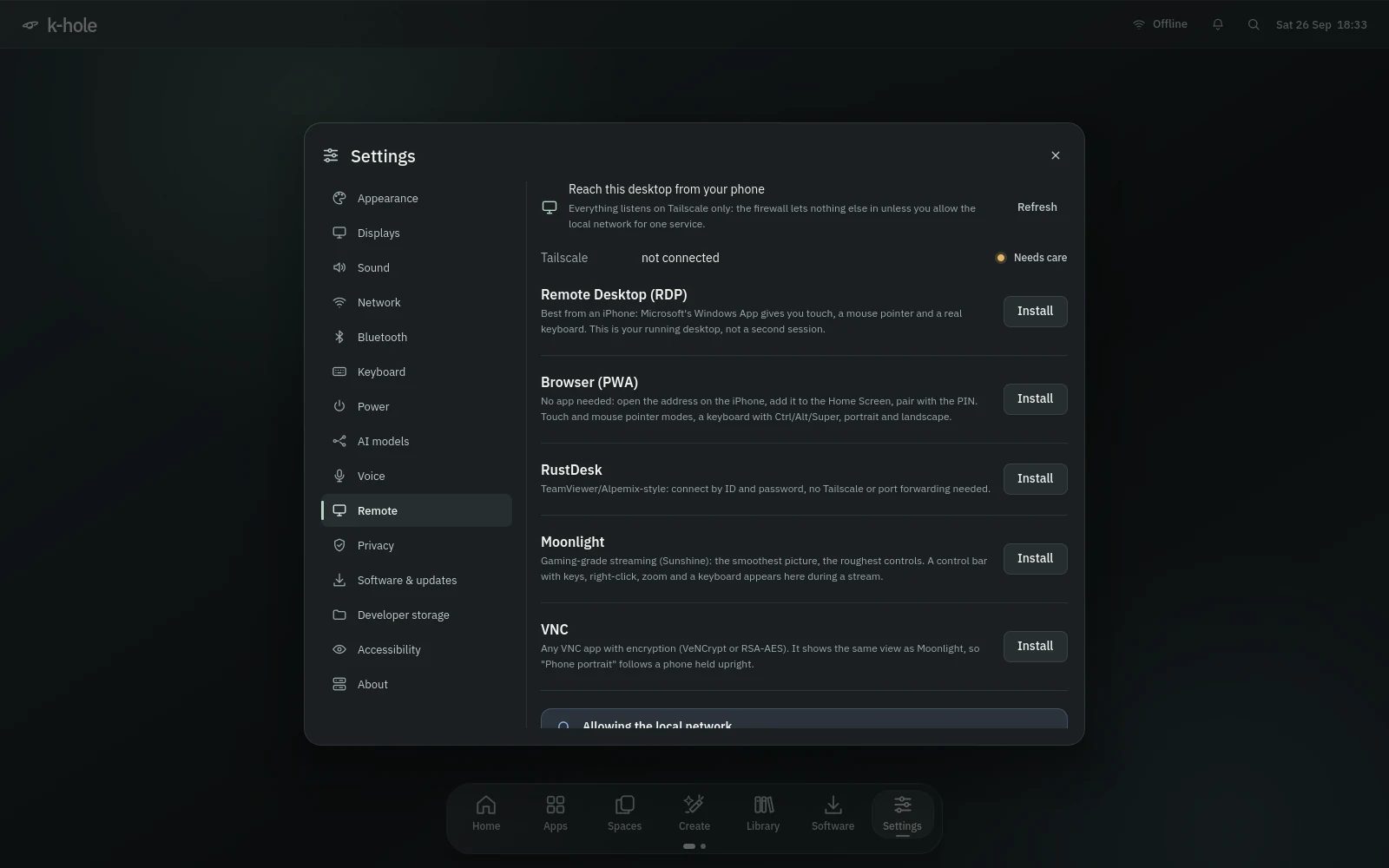
Your running desktop in Microsoft's Windows App on an iPhone, sized to the phone and portrait when you hold it upright, with touch, pointer and keyboard modes.
Nothing from an app store: scan a QR code, add it to the Home Screen, pair with a PIN. Multi-touch or trackpad modes, a keyboard with modifier and Fn keys, the clipboard both ways, and sound.
Game-grade streaming, with a control bar for right-click, drag lock, scroll, zoom, sticky modifiers and a keyboard.
Connect by ID and password, or with any VNC client that encrypts.
A virtual output sized to the phone, with touch mapped to it.
Services listen on your Tailscale address; "LAN too" opens one service to your local network after a warning.
Secrets, the PIN and paired phones live in mode-600 files, never on a command line; forget a phone in one command.
While a stream runs, the screen doesn't lock and the desktop switches to hard cuts with no blur.
The browser app is tested in headless Chromium as an iPhone, not yet on a real one. Moonlight or RDP are the fallback.
Orca · espeakup · motion
A screen reader from the boot menu to the installed desktop, a keyboard path to everything, and motion you can turn down.
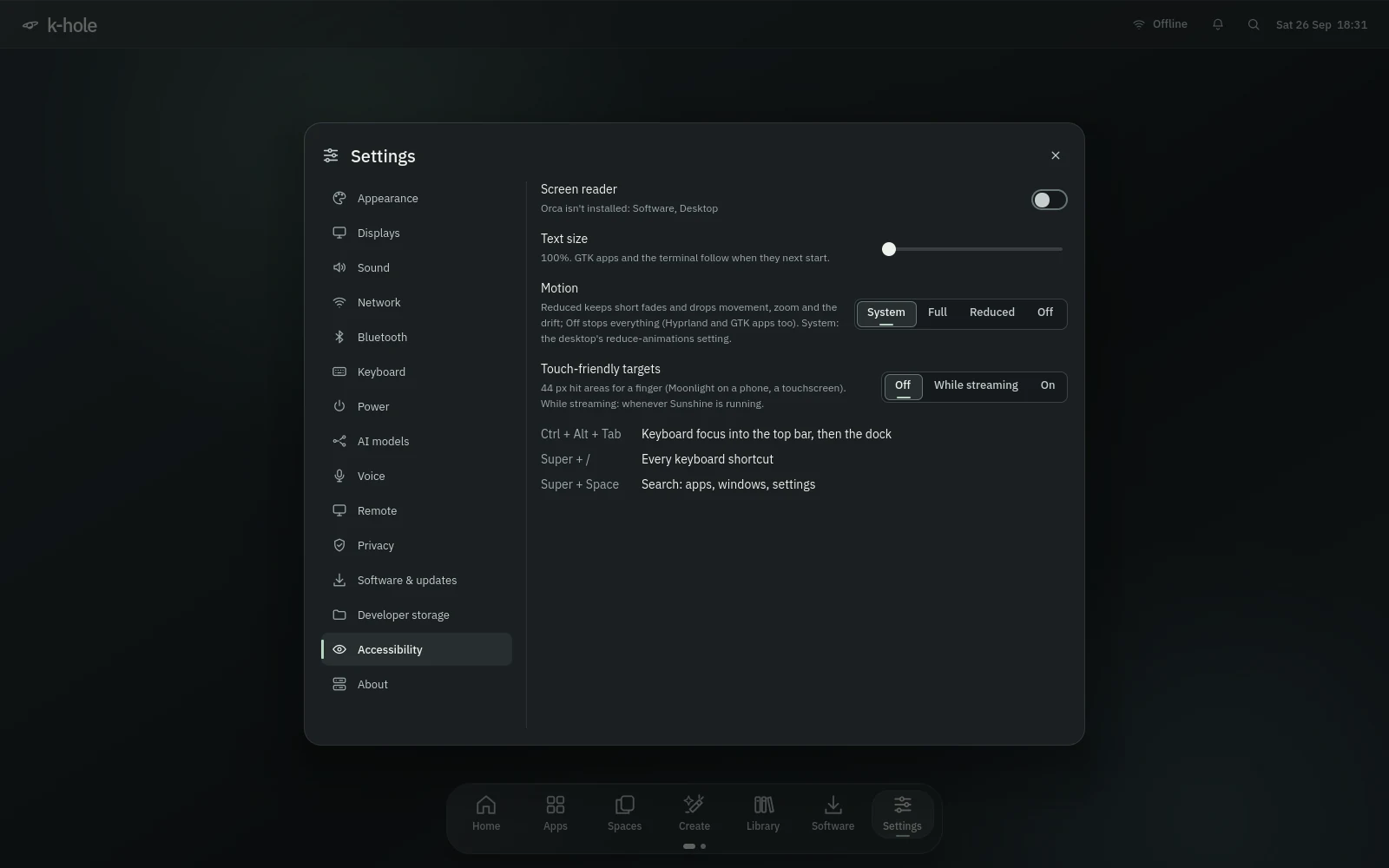
The screen-reader entry speaks from the start, and speech carries into the installed system: espeakup on the console and login screen, brltty for braille, Orca at every login, and a tune when the boot menu is up.
Super+Alt+S turns it on or off, and it stays that way across logins.
SuperAltSCtrl+Alt+Tab walks the bar (tray icons and widgets included), the dock, the desktop page and the tour. Menu or Shift+F10 opens a tray menu.
CtrlAltTabReaches GTK apps and the terminal too.
44 px hit areas, on, off or while streaming, with hover effects off and presses held visible a little longer.
Full, Reduced (short fades, nothing slides or zooms) or Off, reaching Hyprland and GTK apps. System follows the desktop's own setting, live.
Without GPU acceleration the shell starts in software rendering with no blur, shadows or motion, and says why.
The power dialog counts down aloud, focuses Cancel and offers 30 seconds more.
The smoke test fails if the shell draws more than 4 frames in 65 seconds at rest. The light on Home pauses under overlays, when you're away, on battery and in power saver.
Every control has an accessible name and focus you can see.
qs ipc -c khole call shell perf shows frames per second for every shell window. At rest every row reads 0.
Four sound themes
Four original sound themes to choose from, Quiet Glass, Air, Arc and Bloom: 37 short cues each, quiet by design.
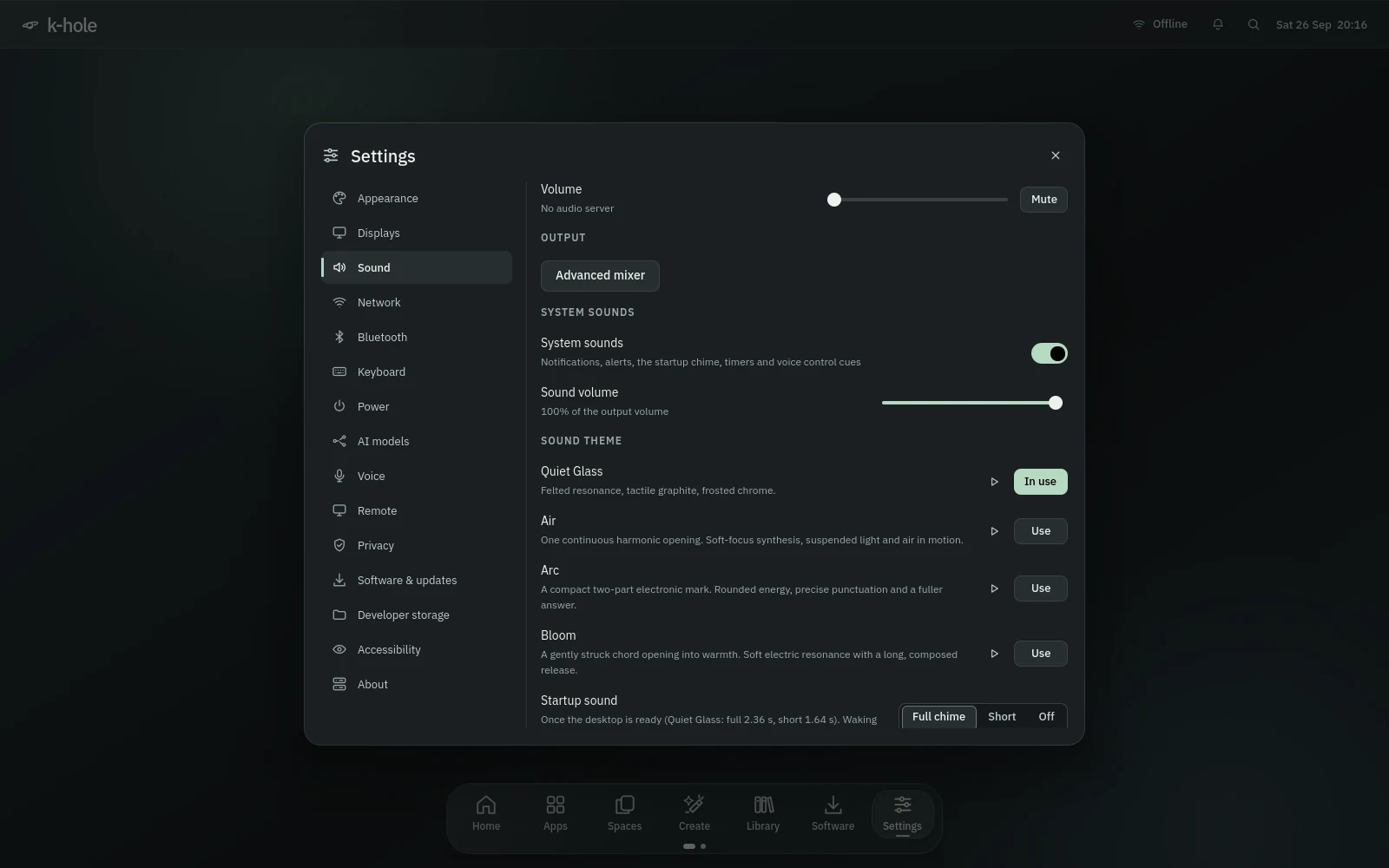
Quiet Glass, Air, Arc and Bloom: the same events and rules, each in its own voice. Play a theme's startup chime before you pick it; GTK apps and the terminal bell follow your choice.
Notifications, errors, a finished install, the charger, low battery, USB devices, screenshots, locking, logging out, voice control and remote sessions.
Once per session when the desktop is ready: full, short or off. Never on wake, unlock or a shell restart.
Except critical alerts, battery critical, voice control, the power countdown and the timers, alarms and reminders you set.
Two sounds at most at once, no stacking, and a rate limit on each.
A switch, a volume, the sound theme, the startup choice, and optional sounds each with a switch and a play button.
Drop files under the theme's names into its folder in ~/.local/share/sounds (khole for Quiet Glass, khole-air for Air...) to replace any cue.
timer 25m tea, alarm 7:30 or a note's bell plays one cue and shows a notification.
archiso · khole-install · install.sh
A live ISO that is the real desktop, an installer that sets up everything above, and GPU detection that picks the right drivers.
The live session is the full desktop, with Install k-hole on Home and the dock.
Live, with screen reader, safe graphics, basic graphics for black screens, and a text installer. Boot with khole.debug for a report of the live session.
A disk, your account, time zone, keyboard, optional encryption and ad blocking; no internet needed, and it can't be dismissed by accident while it runs.
Subvolumes for the system, home, logs, the package cache, snapshots, models, containers and Nix, with /boot inside so snapshots carry kernels.
GPT with EFI and BIOS boot partitions, GRUB for both, a hidden menu (Shift or Esc) that shows for 5 seconds when another OS is on the disk.
32 GB minimum; old LVM, RAID or LUKS on the target is released first, other disks aren't touched, and Windows appears in the boot menu.
After the first login, Welcome offers GPU drivers, the CachyOS layer, AUR apps and AI tools, and asks again until it's done or you skip it.
install.sh adds k-hole to Arch or CachyOS as a pacman package. Safe to re-run, with --dry-run to see every command.
Lite, standard or full, each a set of package lists you can read.
NVIDIA Turing and newer get the open driver and CUDA; Maxwell to Volta the 580xx driver and Vulkan; AMD ROCm; Intel Vulkan; hybrid laptops both.
x86-64-v3/v4 packages, the BORE kernel, sched_ext and zram.
A Quiet Glass GRUB menu and Plymouth splash with the disk password prompt and update progress; --no-splash leaves your boot alone.
os-release with the build and commit, a fastfetch logo, and About shows the edition and build.
virt-manager and GNOME Boxes recognise the ISO once the host knows it; khole-vm creates a VM with UEFI, virtio and 3D.
A QEMU test boots the ISO, installs it unattended on UEFI/NVMe, BIOS/SATA and encrypted UEFI, boots the result, rolls back and boots that too.
Build against a date in the Arch Linux Archive; the exact package list lands next to the ISO.
Keys
Build the ISO on any Linux with Docker, or add k-hole to an Arch install you already have.