01
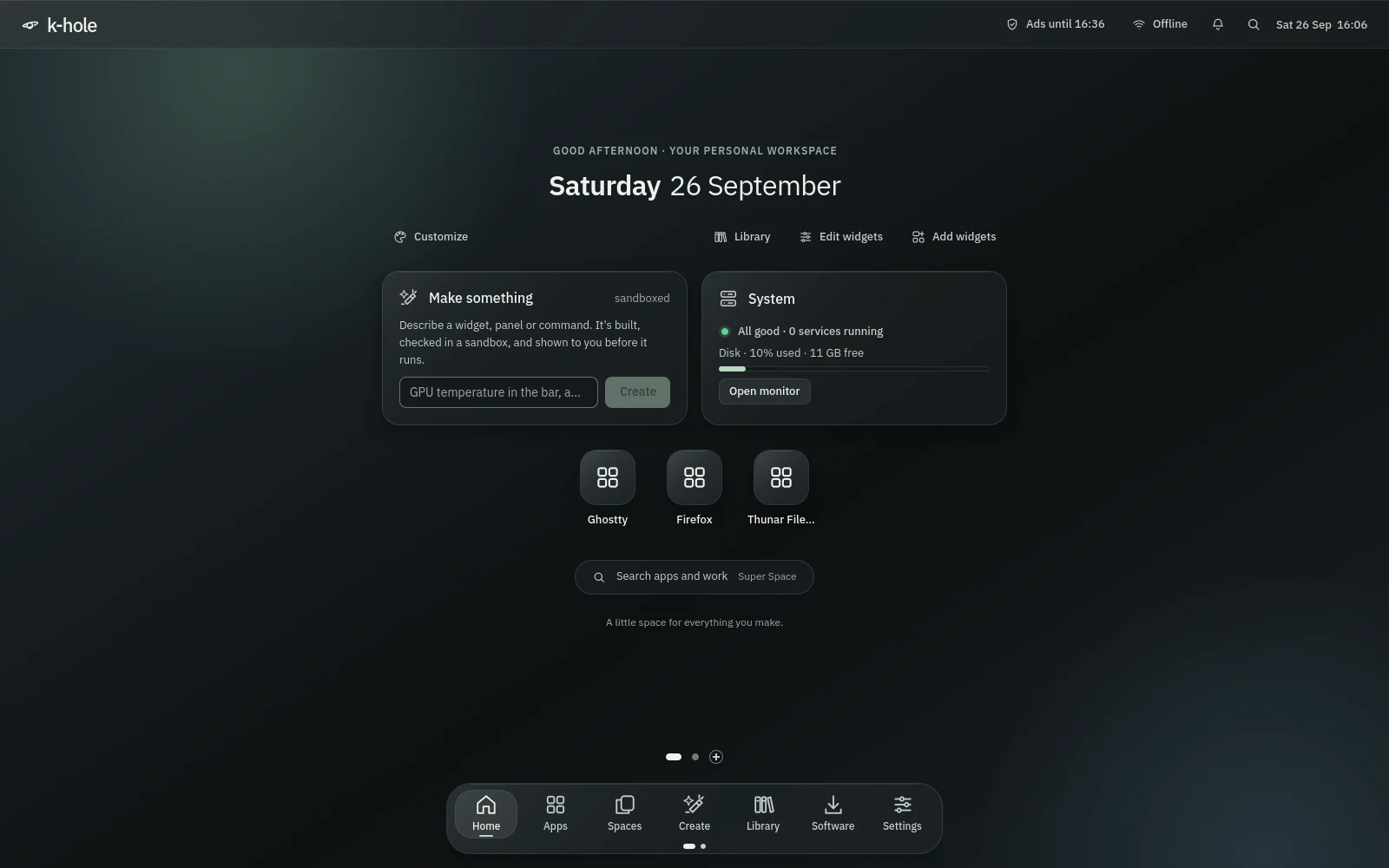
Home is the desktop itself.
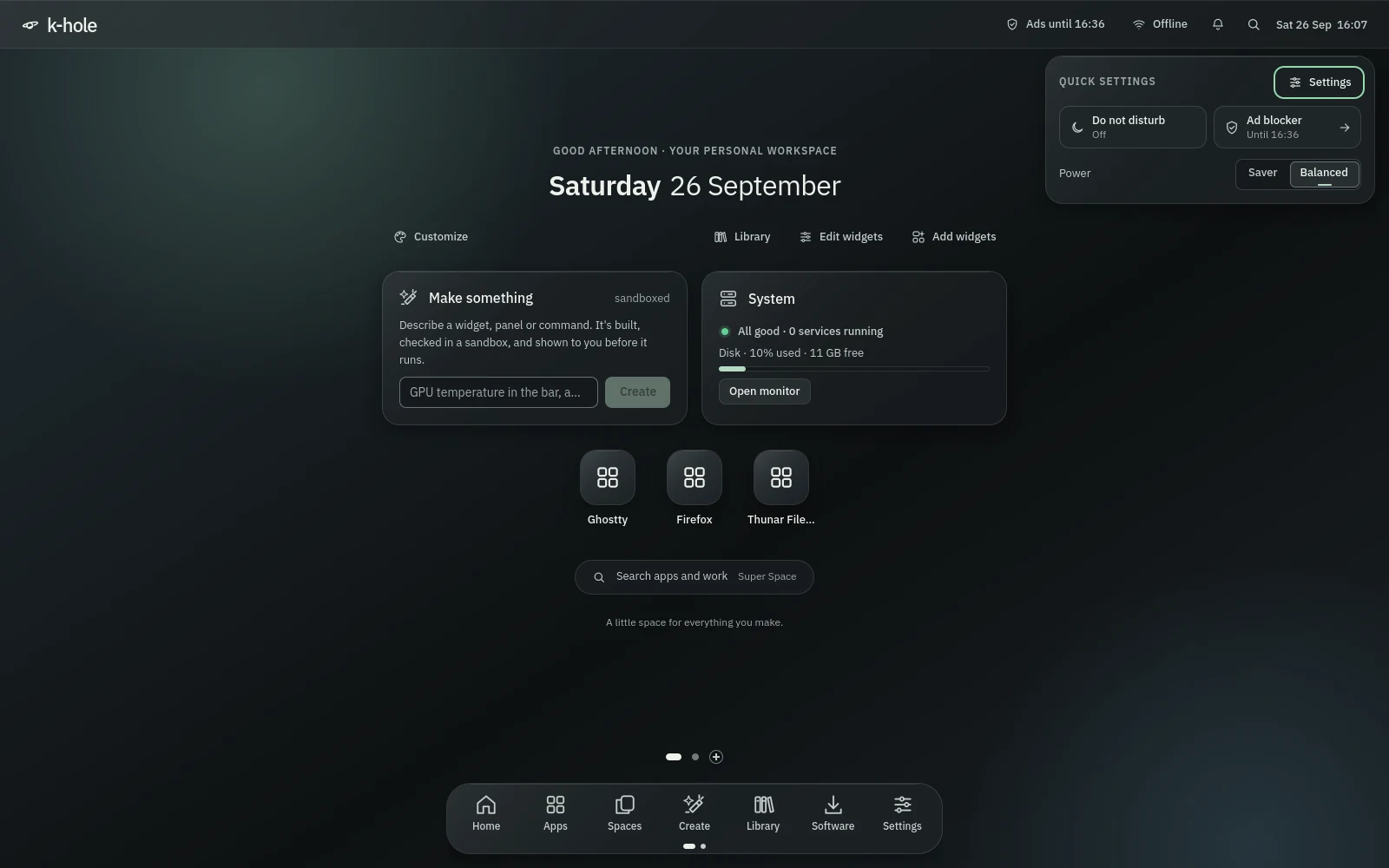
One centred column on any empty Space: the date, Make something, one line of system health, your pinned apps and a search pill. At rest the whole shell draws nothing.
An AI development workstation · Arch + CachyOS
k-hole turns a fresh Arch or CachyOS install into a fast place to write software with AI. Connect your own model, say what you want in plain words, and it becomes a widget, a panel or a workflow, built in a sandbox and shown to you before it runs.
A tour of the desktop
Every screen below is the real shell, captured by its own smoke test in a headless session at 1600 by 1000. As you scroll, the view moves to the part that matters; select a screenshot to see all of it.
One centred column on any empty Space: the date, Make something, one line of system health, your pinned apps and a search pill. At rest the whole shell draws nothing.
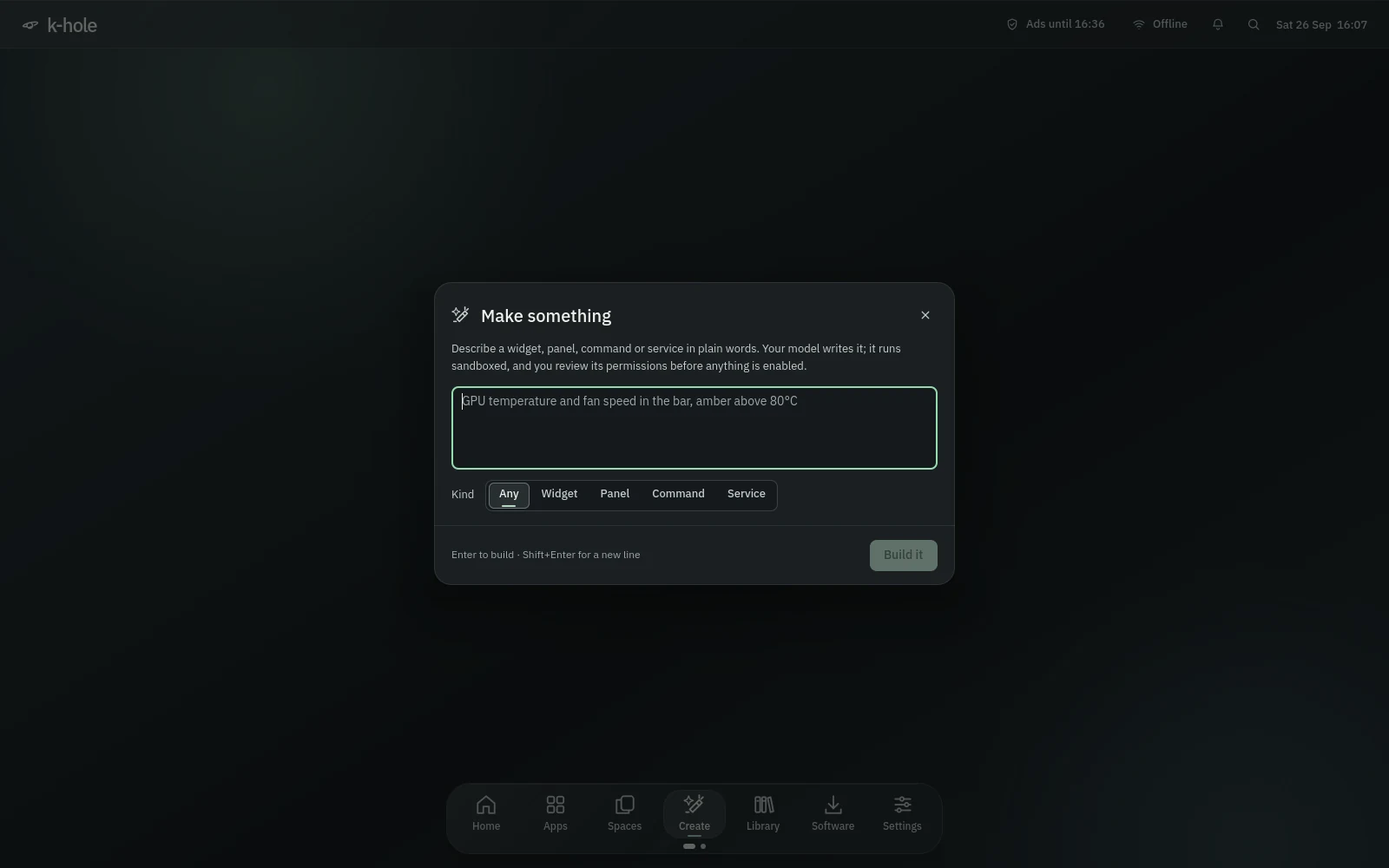
Describe a widget, panel, command or service. Your model writes it, and genui runs it once with the network off inside bubblewrap, then loads its QML headlessly in a second sandbox before you see it.
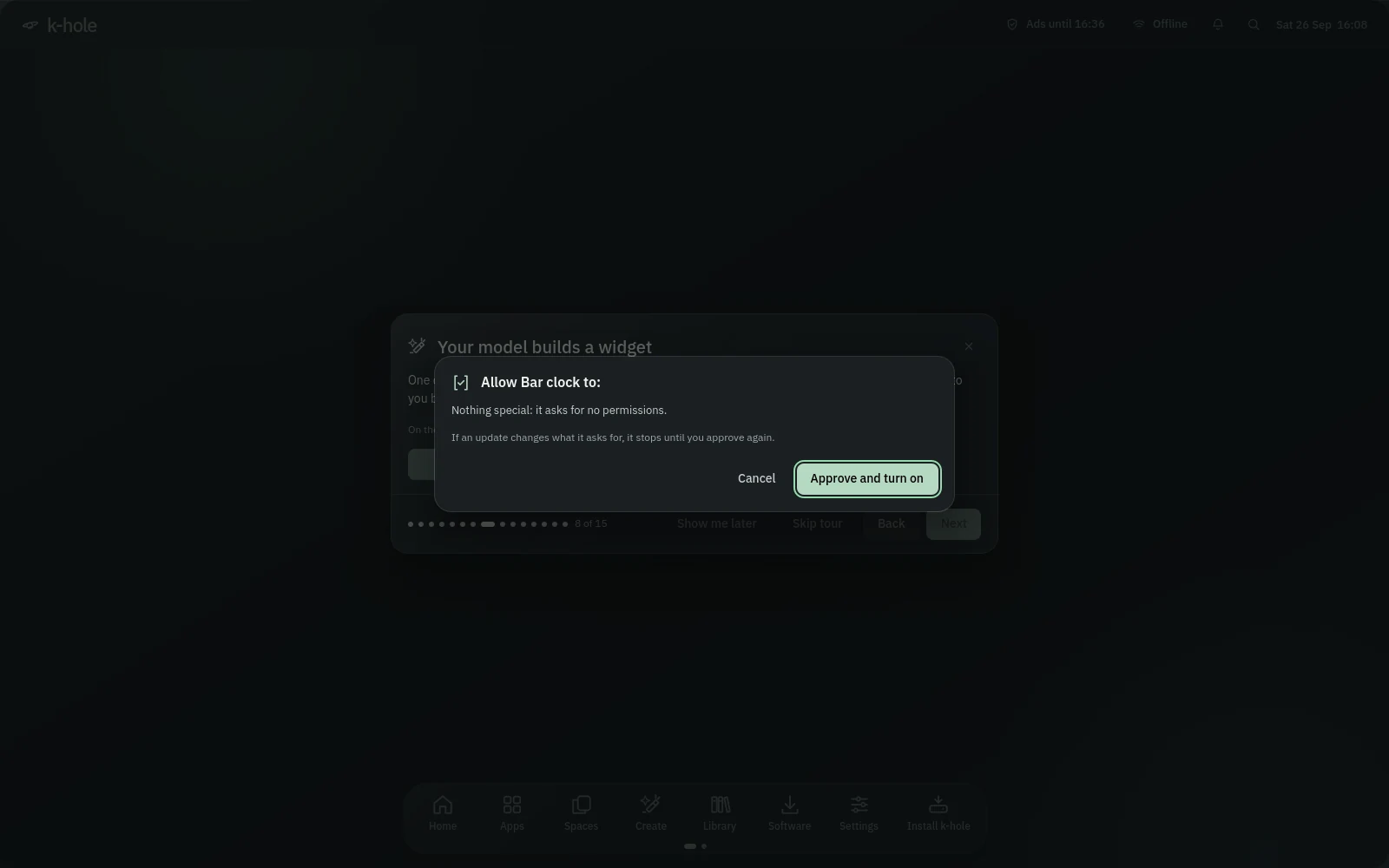
Reads, writes, network, D-Bus and the router each appear by name. Nothing runs with those permissions until you approve them, and an update that asks for more stops until you say yes again.
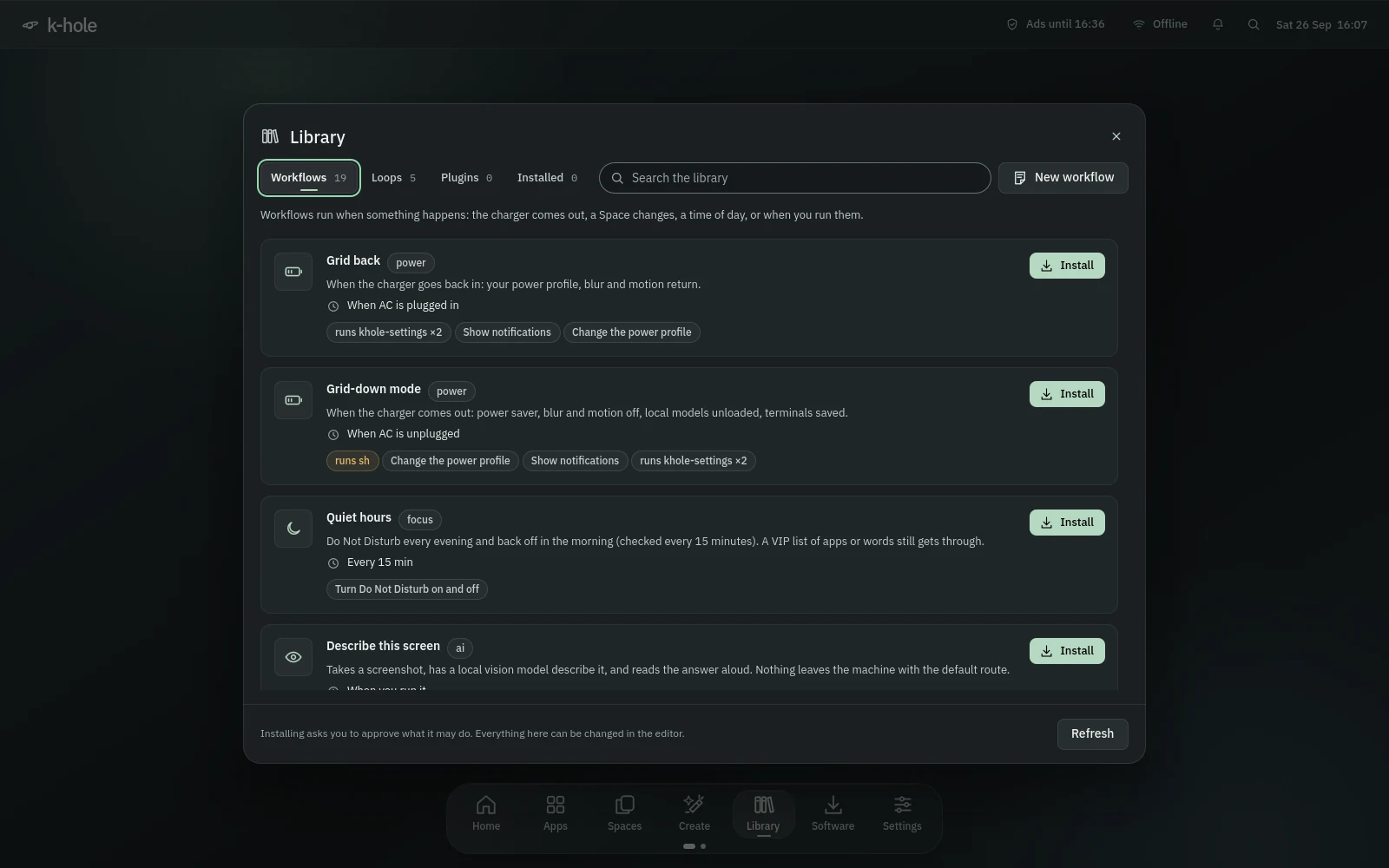
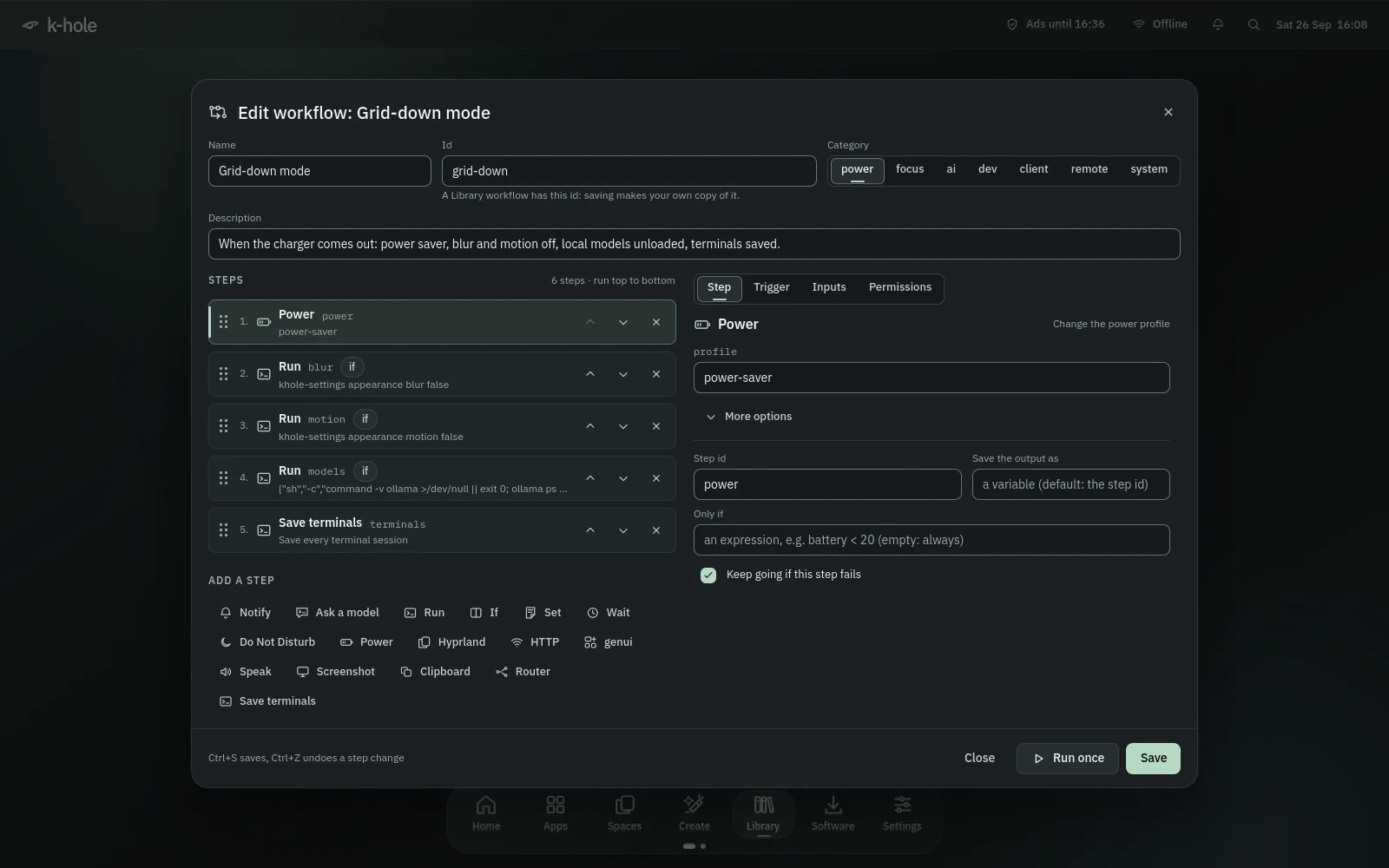
The Library holds 24 ready-made workflows and loops and 12 genui plugins. Workflows run when something happens: the charger comes out, you join a metered network, a Space changes, a USB board is plugged in. Loops always stop, at a run limit or a spending cap.
Drag steps by their grip, add them from the palette, set the trigger, inputs and permissions. "Match the steps" fills the permissions in for you. Your copy saves to your own folder and replaces the Library's.
Volume and the output device, brightness for every screen, the keyboard light, Wi-Fi, Bluetooth, Do Not Disturb, the microphone, airplane mode, the power mode and the ad blocker. Tiles appear for the hardware you have; Tab walks them and Esc closes.
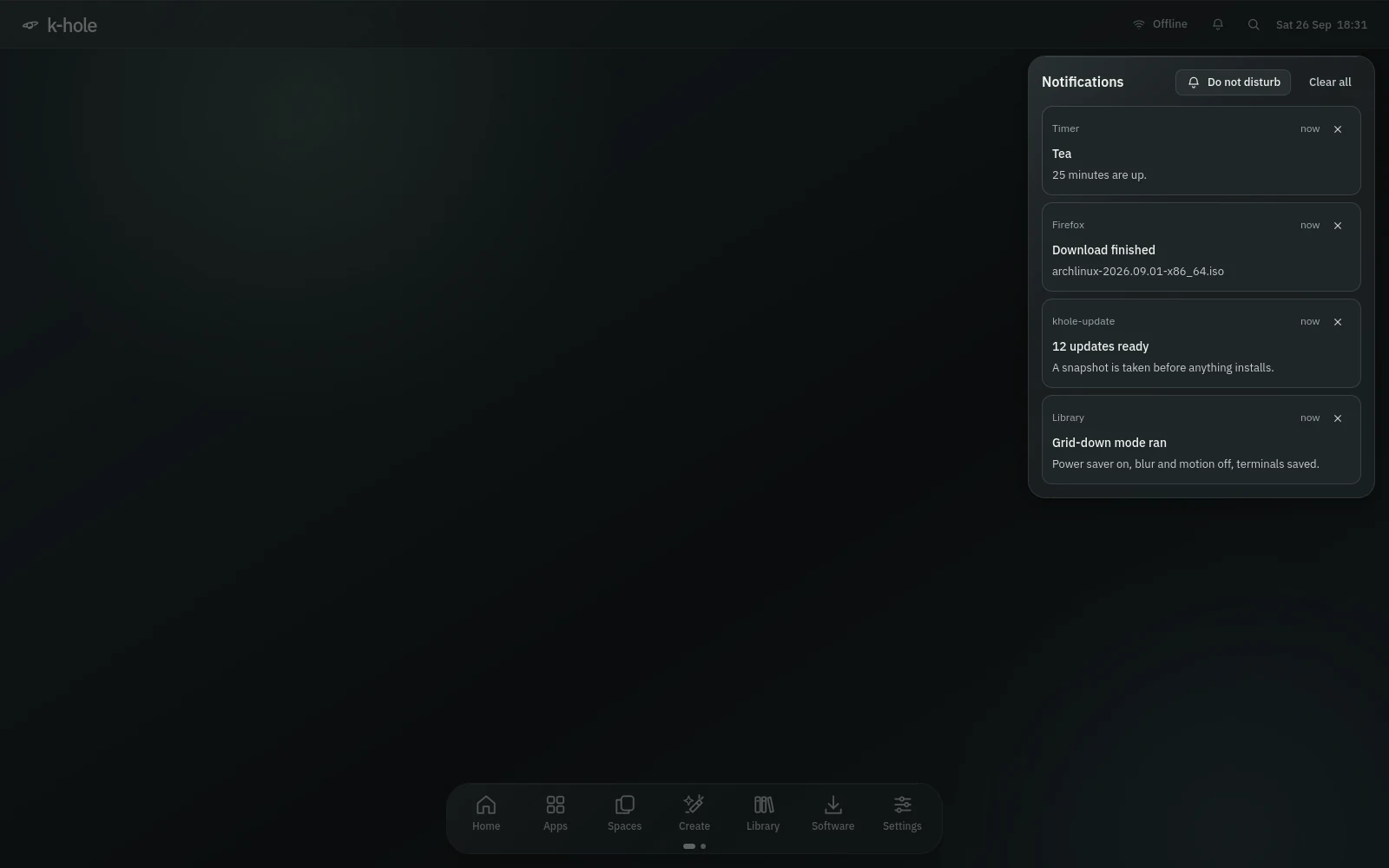
The shell is the notification server: toasts under the bar, a history behind the bell, and Do Not Disturb with a VIP list of apps or words that still get through.
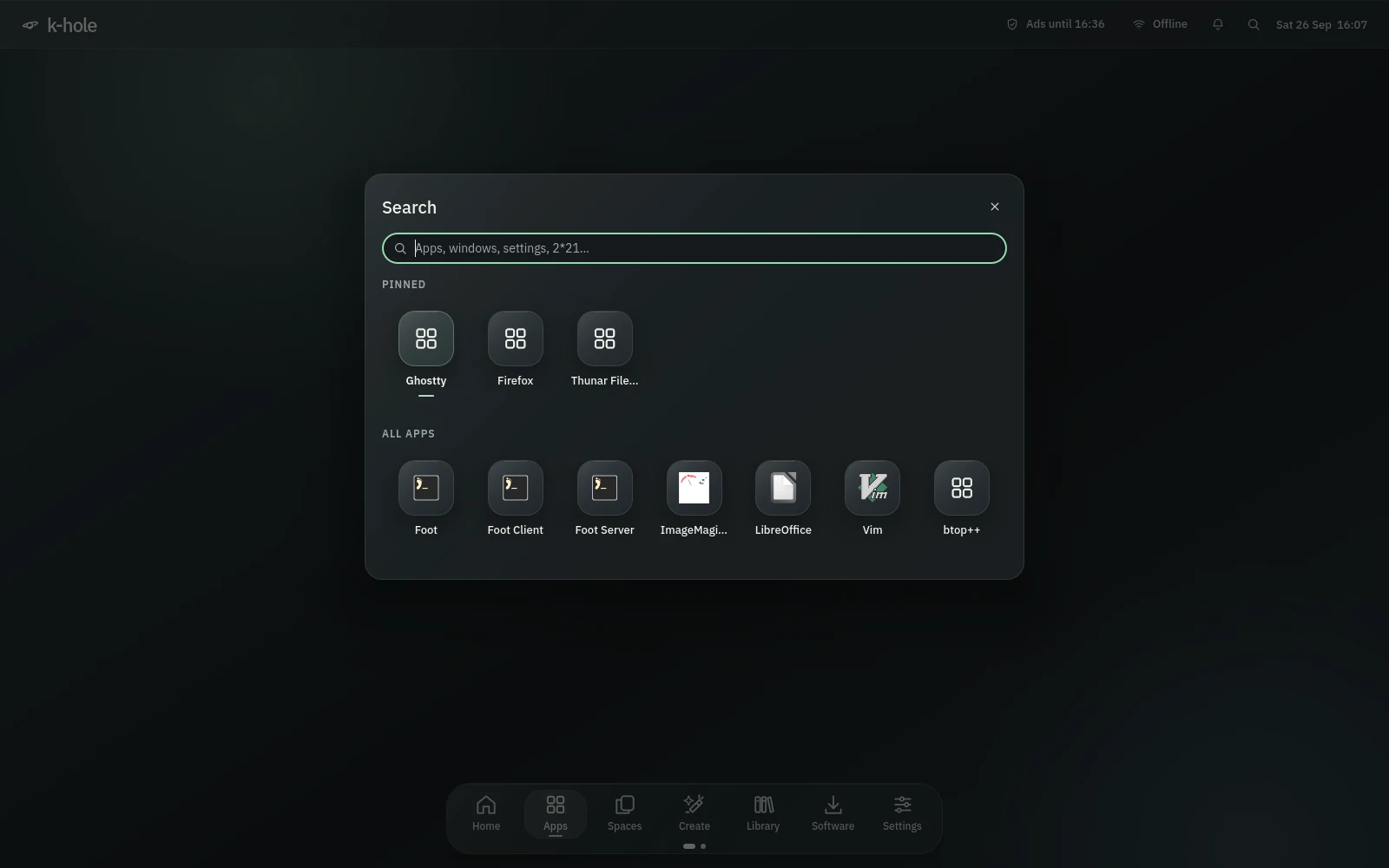
Search ranks apps by how often you open them and also finds open windows, Settings pages and actions. It does maths, and timer 25m tea or alarm 7:30 sets one. Spaces and Alt+Tab remember the order you used things.
jev writes down what you said with whisper.cpp or your router, works the desktop through your models and answers out loud. It asks before anything risky, stops at 12 steps or $0.10 per request by default, and Esc or the word "stop" ends it at once.
In this capture a stand-in answered instead of a real model.
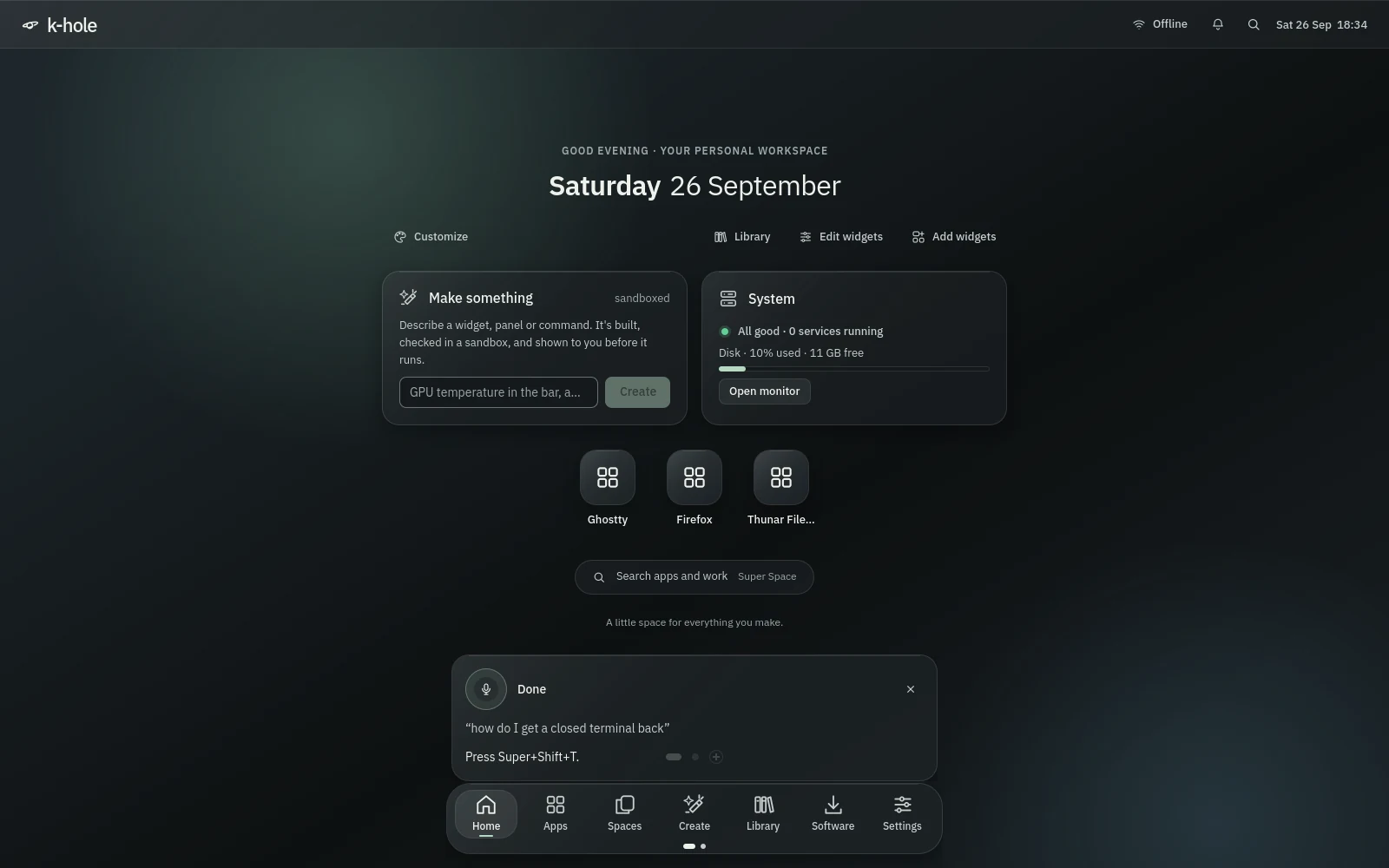
Desktop 1 is your Desktop folder; more pages are folders inside it, and an empty one goes away when you leave. Sticky notes come in five colours, with undo and a reminder bell.
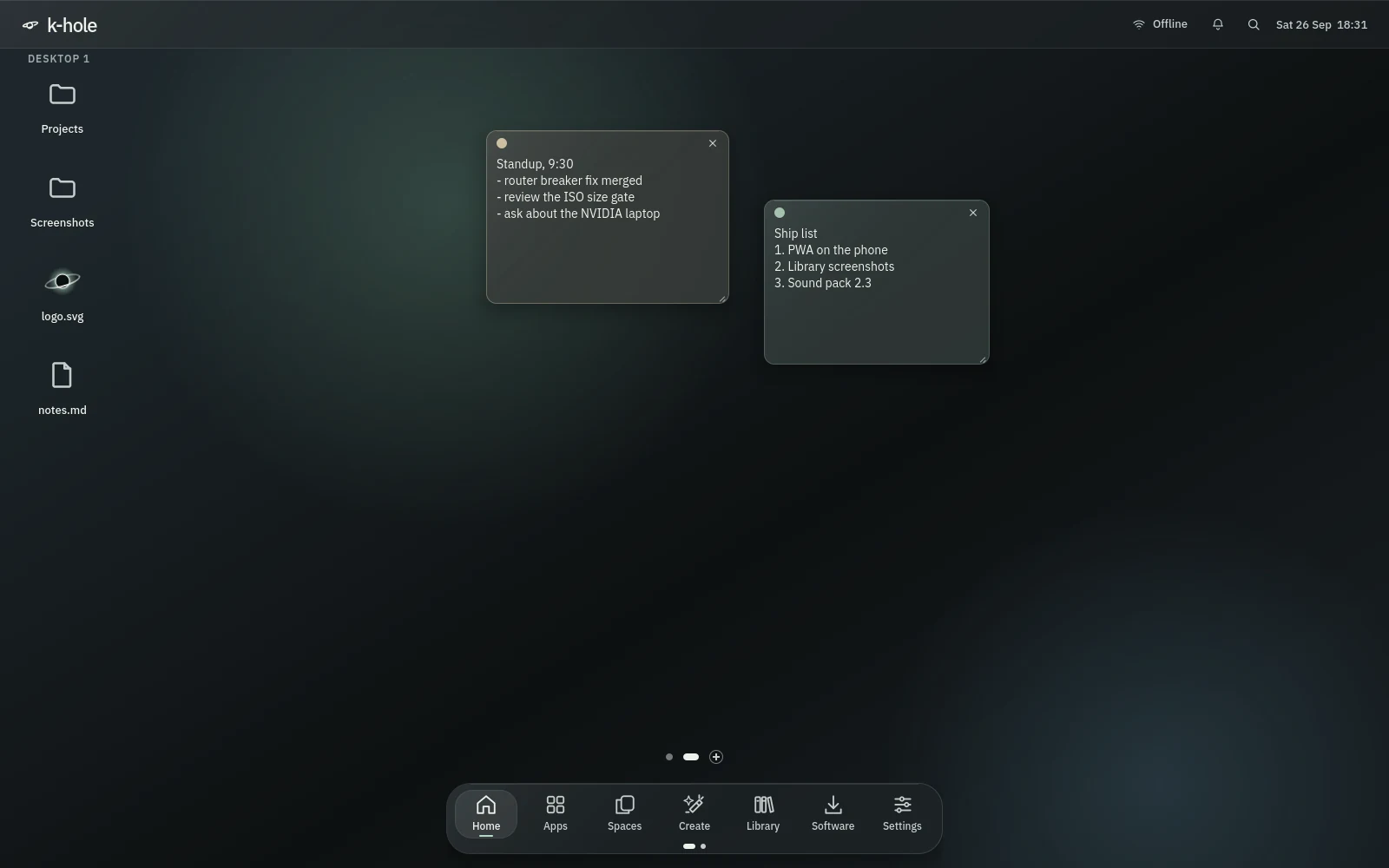
Every app's DNS goes through a local blocker with HaGeZi's lists; everything else leaves encrypted to Quad9, then Cloudflare. Pause it, sign in to a café Wi-Fi, or allow one site in a click. If the blocker stops, DNS falls back to your network by itself.
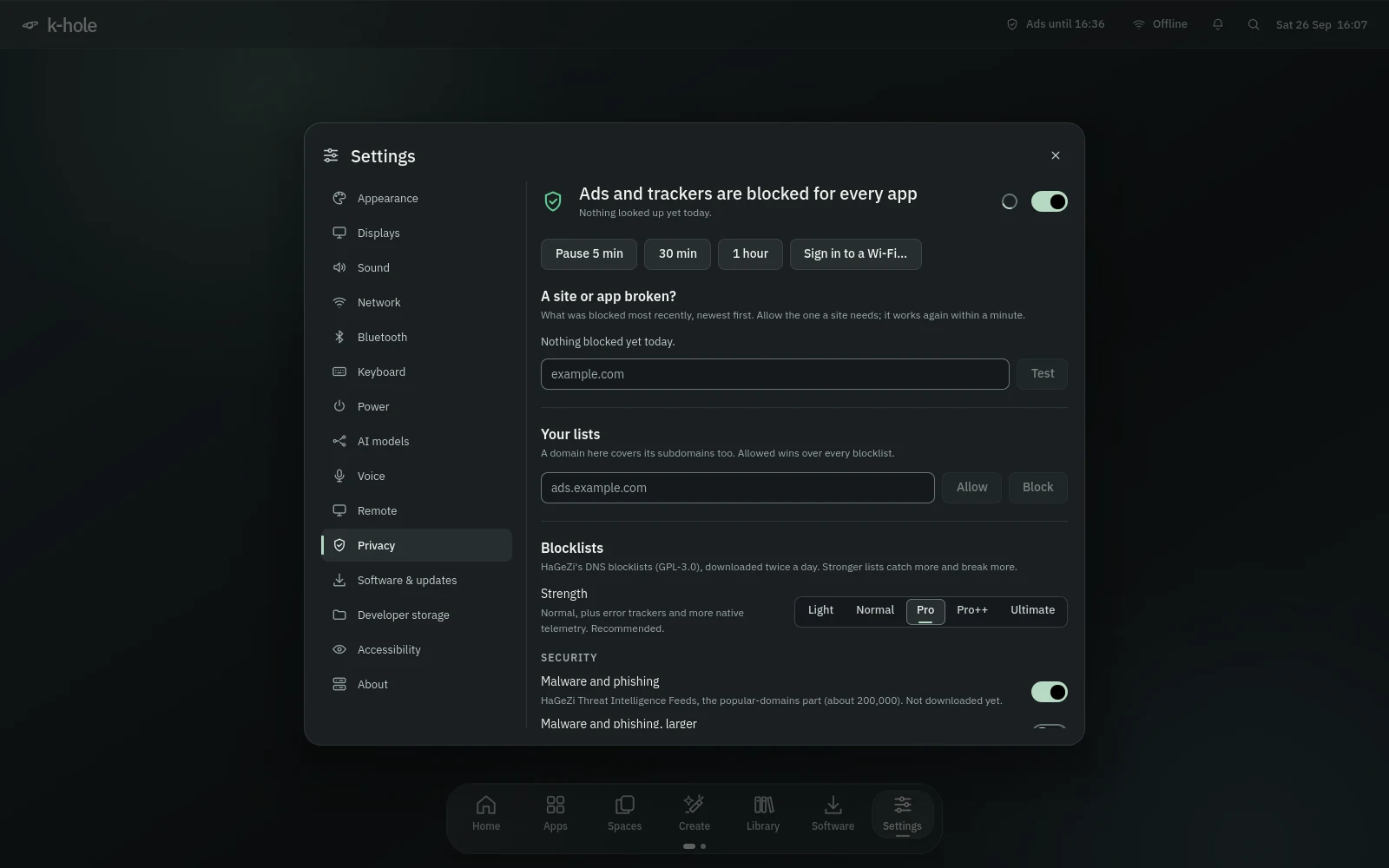
Developer storage finds the folders a tool can rebuild (node_modules, virtualenvs, build output) and shows what removing them really frees. It never touches files tracked by git. pnpm, Bun and uv keep one copy of each package for every project.
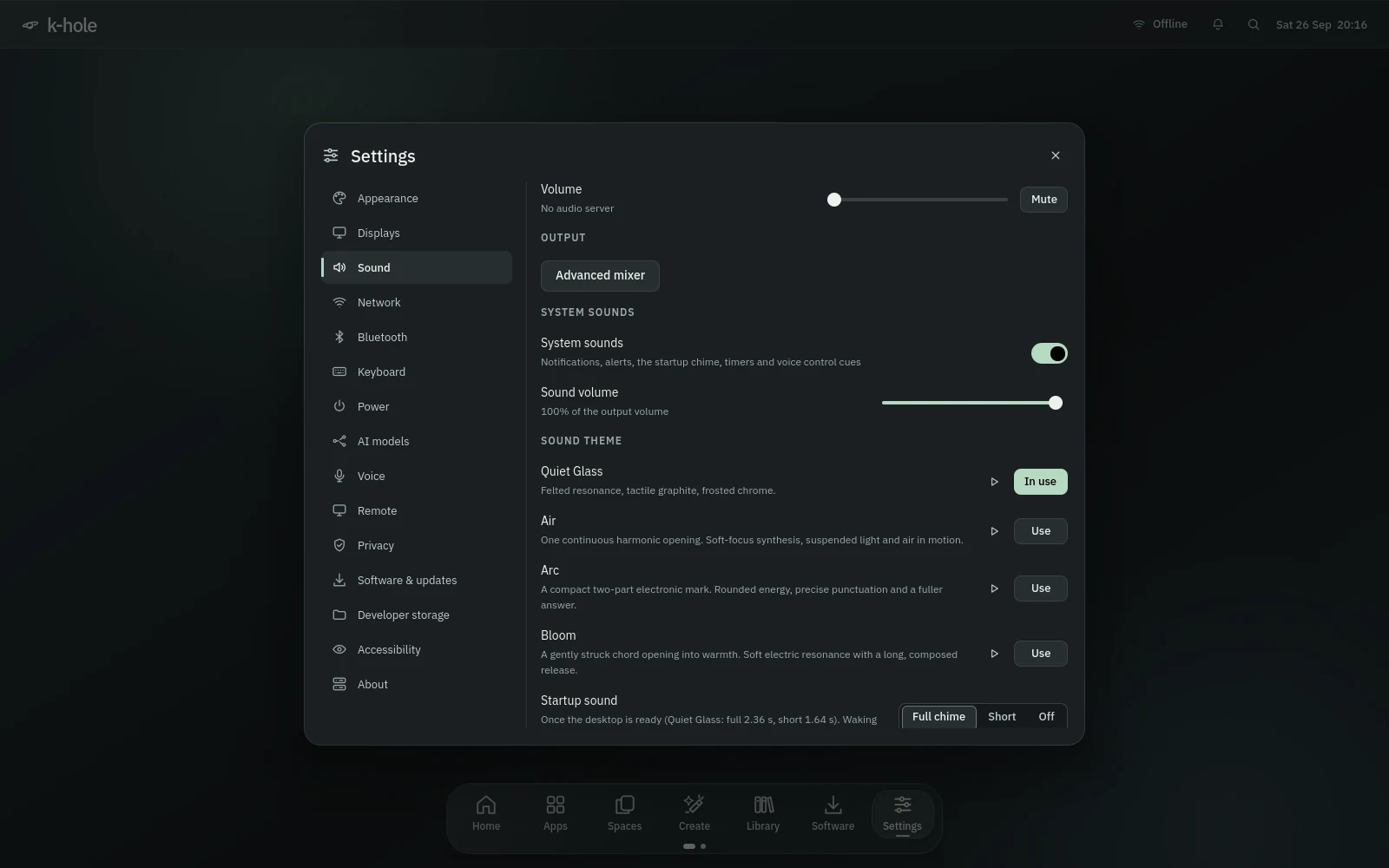
Four themes to choose from, Quiet Glass, Air, Arc and Bloom, each with 37 short cues for notifications, the charger, USB, screenshots, voice control and your timers, plus a startup chime once the desktop is ready. Do Not Disturb keeps them quiet except for what needs you.
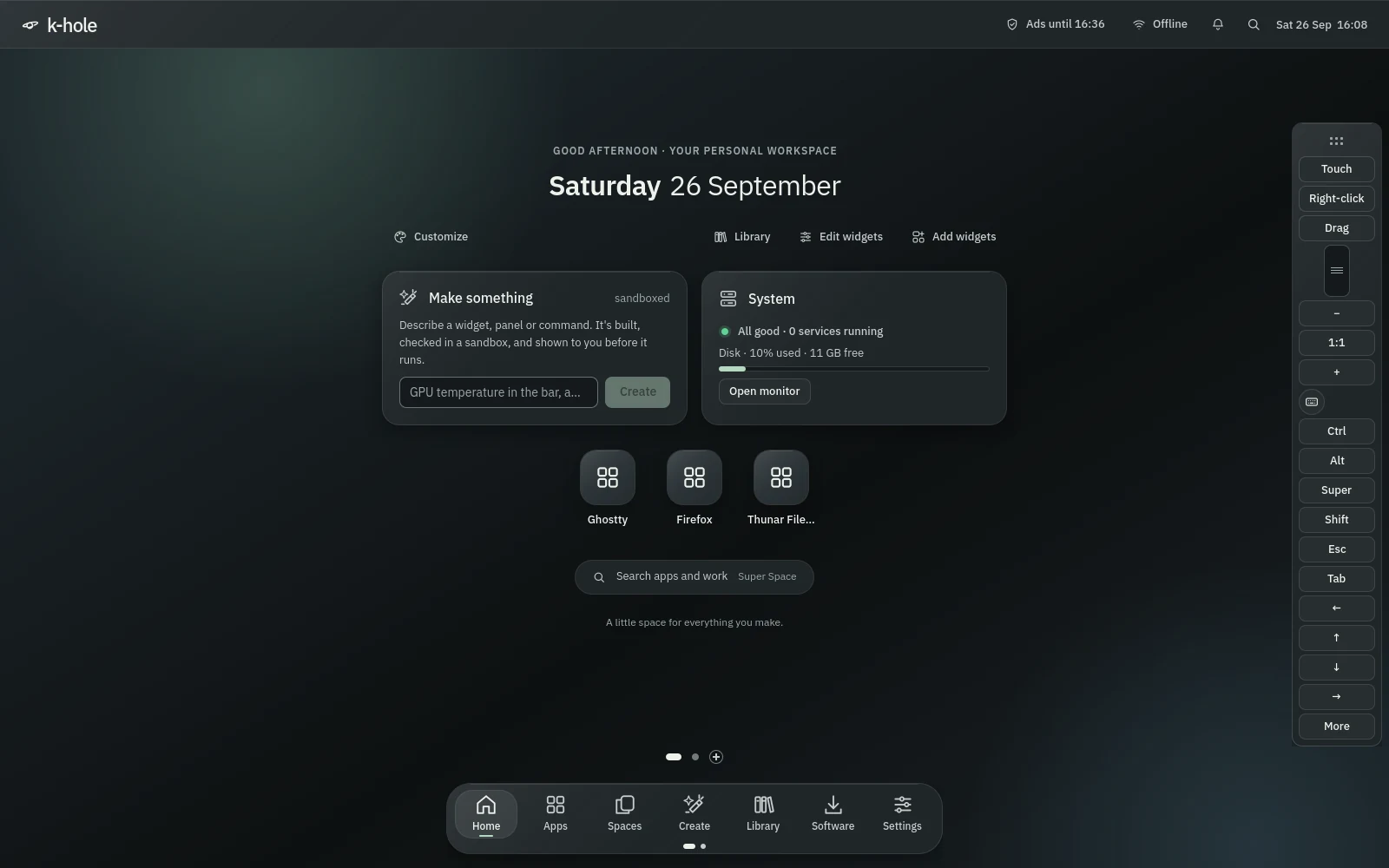
RDP, k-hole's own browser app, RustDesk, Moonlight or VNC, reachable over Tailscale only unless you allow your network. During a stream, a control bar gives you touch, right-click, drag, zoom, modifier keys and a keyboard.
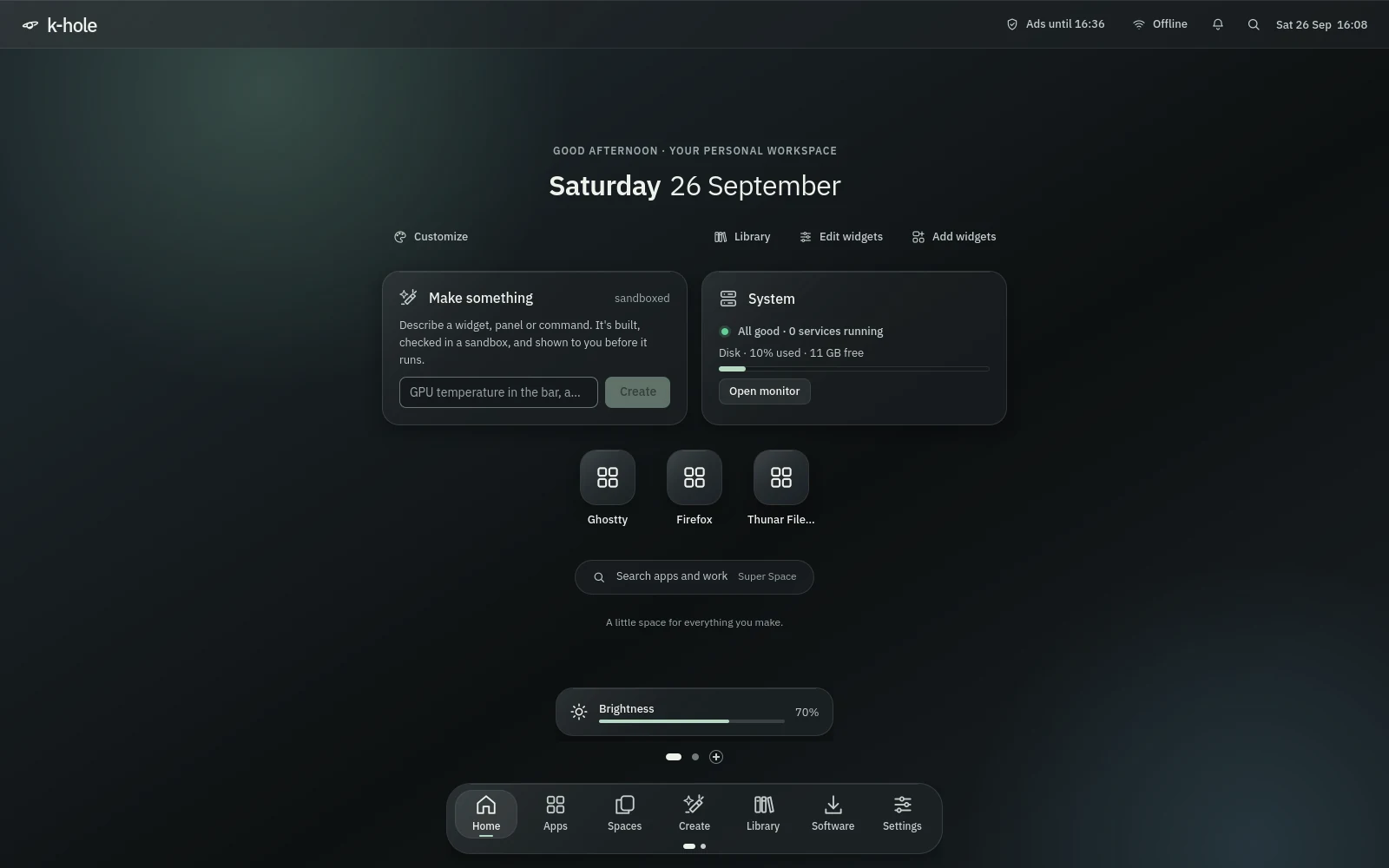
Volume in 5% steps (Shift goes to 150%), brightness on every screen, external monitors over DDC/CI, the display key, airplane mode, the touchpad key. Each shows a small indicator, and they keep working while the shell is down.
Three ways in
Each tier is a set of plain package lists you can read. Pick one when you install; the Software app adds anything else later.
--tier liteHeadless: servers, VMs, a spare box you reach over SSH or Tailscale.
The Quiet Glass desktop and everything in Lite.
--tier fullInfrastructure, data and GPU work.
Install
The ISO is the real desktop. Try it, then press Install k-hole: btrfs with bootable snapshots, optional disk encryption, about ten minutes and no internet needed.
On any Linux with Docker or Podman: about 15 GB free and 30 to 50 minutes.
$ git clone https://github.com/ka2ny/k-flow-os k-hole
$ cd k-hole
$ scripts/build-iso-docker.sh   # the ISO lands in ./out
In a VM, scripts/khole-vm out/khole-*.iso sets up UEFI, virtio and 3D for you.
Keeps your install and adds k-hole on top, as a pacman package.
$ git clone https://github.com/ka2ny/k-flow-os k-hole
$ cd k-hole
$ ./install.sh --tier standard
Add --dry-run to see every step and command first.